Fallback Patterns When Retrieval Finds Nothing in AI Agent Memory
Your coding agent needs to explain why the team chose one database over another before it changes a migration. It searches the issue tracker, design docs, and prior session memory, but does not find useful support for the decision.
The agent should not turn that gap into a project-specific explanation. First identify whether the search completed and what material, if any, it returned.
Fallback patterns work best when the agent records what happened before choosing its next action. That record keeps a missing result from becoming an unsupported project-specific explanation.
Process overview
When an agent cannot find support for a project decision, it should identify the retrieval outcome before answering.
- Check whether retrieval failed or returned a valid empty result.
- Retry only when a transient failure is plausible.
- Repair the query or broaden the search when the request may be too narrow.
- Ask for context when the request is ambiguous. Abstain when evidence is still missing.
- Record the gap for follow-up rather than presenting a guess as project history.
What "retrieval finds nothing" means for an AI agent
When retrieval does not produce useful support, record the response state and the material returned before choosing a recovery action.
Classify it before responding.
A retrieval miss is not one failure mode
Treat an empty response and weakly useful material as separate cases in the workflow. Do not present either outcome as support for a project-specific fact.
Inspect the request context before drawing conclusions: query wording, filters, source scope, and response state can guide the next search or clarification.
What the agent can and cannot infer from no evidence
Record the signals available for the request: result count, ranking scores where available, error type, filters, source scope, and latency. Use those signals to choose the next action without treating a single signal as a complete explanation.
When the returned material does not support a project question, report that limit rather than inferring project history.
The non-negotiable rule: do not present generated text as retrieved project fact
Use general model knowledge to frame a question or suggest places to search. Keep project decisions, incidents, source files, and documented requirements tied to the relevant project material.
When retrieval does not provide support, say that the requested project fact could not be verified from the available material. Do not attach invented certainty to the gap.
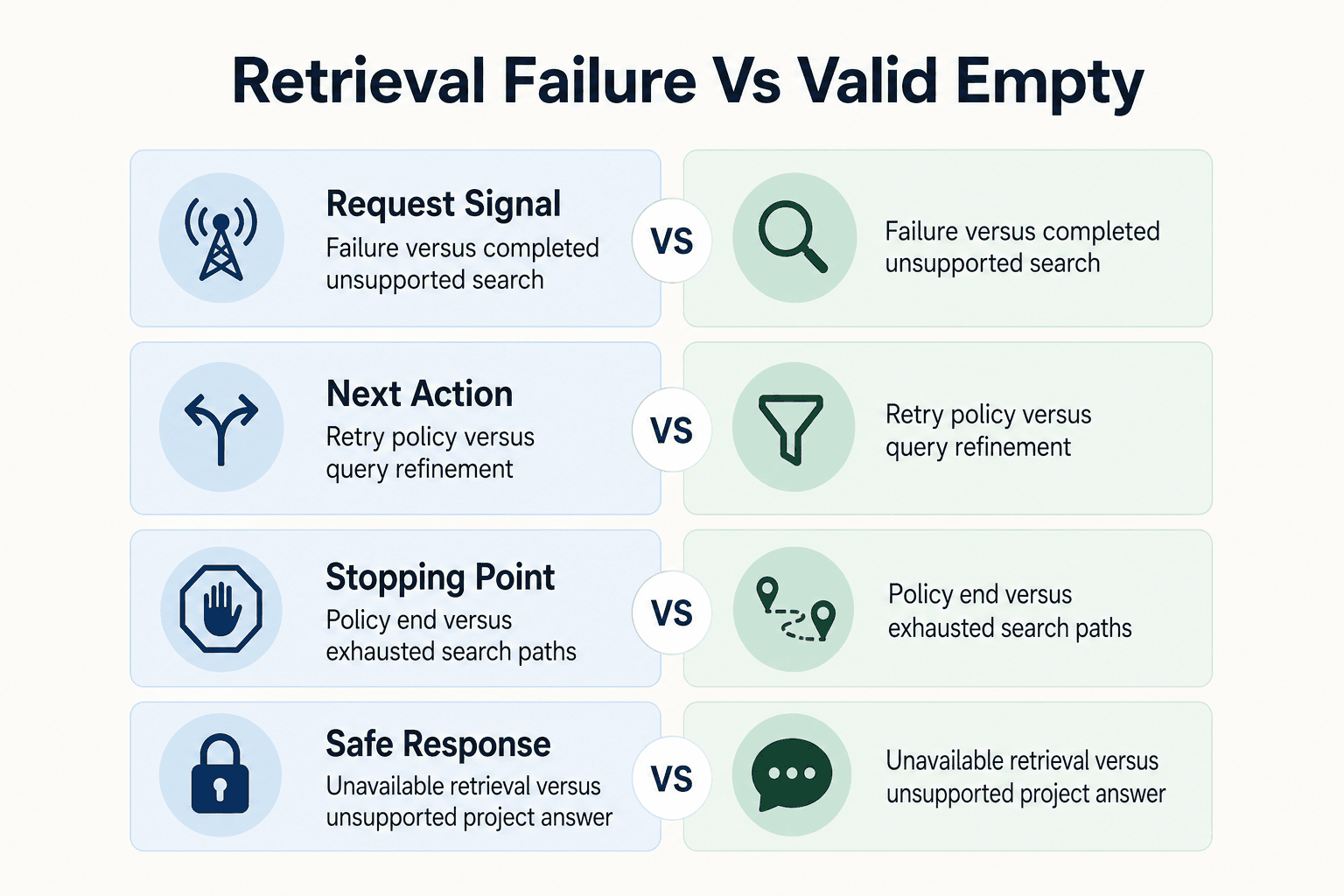
Retrieval failure vs. a valid empty result
| Factor | Retrieval failure | Valid empty result |
|---|---|---|
| Signal | The request does not complete successfully. | The completed search does not provide material that supports the task. |
| Likely next action | Apply the service-recovery policy; a bounded retry may be appropriate. | Refine the request, seek context, or use another authorized search path. |
| When to stop | Stop when the retry policy ends or repeated requests are not appropriate. | Stop when the available search paths do not provide support. |
| Safe response | Explain that retrieval was unavailable or unsuccessful. | State that the available material does not support the requested project-specific answer. |
Prerequisites for safe fallback patterns when retrieval finds nothing
Fallbacks benefit from clear records and decision rules. They give the agent a consistent basis for choosing whether to retry, request context, use another authorized search path, or abstain.
Log the retrieval context, not just the final answer
Log the query text, filters, source scope, result count, latency, request identity, and selected action. Keep ranking signals when your retrieval system exposes them, along with errors, timeouts, and the agent's reason code.
Use the record to review the workflow's handling of a miss and inform later investigations.
Define source scope, authorization boundaries, and freshness expectations
Define which repositories, documents, tenants, branches, and time ranges an agent may search. A broader search should remain within those boundaries. GigaRAG provides access controls to manage what each connected agent can use.
Also define freshness expectations for the sources your workflow uses, especially when a task depends on a current project decision.
Set an evidence threshold for answering versus escalating
Define what counts as enough support for each task. A direct source may support a factual answer, while weak or unrelated matches should trigger clarification or escalation.
Prepare an abstention response in advance: "I couldn't verify that decision from the project material available to me. Share the file, issue, link, or project scope, and I can check it." This keeps the response useful without turning a gap into a made-up answer.
Step-by-step: handle a retrieval miss
- Record the response state and whether the completed search returned material that supports the task.
- If the request failed and a temporary service or network issue is plausible, retry within a bounded policy. Avoid adding load when overload may be the cause.
- If the search completed, repair the query using the user's wording, project identifiers, or a narrower description of the requested decision.
- Broaden the search only when the knowledge scope is authorized, and check whether the relevant project material was ingested or made available to retrieval.
- Ask the user for the missing project, time period, decision, or source when ambiguity prevents a useful search.
- If evidence remains unavailable, say so and abstain from supplying a project-specific explanation.
- Record the unresolved gap for ingestion or workflow follow-up. Do not automatically write an unsupported fallback answer into long-term memory.
Step 1: Diagnose the retrieval miss before retrying
Treat a retrieval miss as a workflow decision. Apply the service-recovery policy when a request does not complete. When a completed search lacks useful support, inspect the query and available context before refining the search, requesting more detail, or abstaining.
[!tip] For coding-agent workflows, include the project or repository and the decision or time period in the retrieval request. If those details are unknown, ask the user before broadening the search.
Check whether the retrieval dependency timed out, errored, or returned a valid empty result
Start with the response state. Apply the service-recovery policy to timeouts, connection failures, and server errors. When a completed search provides no useful support, investigate the query and available context rather than supplying an unsupported answer.
Retries can help when an unexpected or absent response may be resolved by sending the request again. They can be useful for temporary network problems, internal target-service errors, and slow or absent responses; when a target service is overloaded, retries may worsen the problem. Use configurable limits and, where appropriate, exponential backoff or a circuit breaker (Codecentric).
Inspect query wording, metadata filters, tenant or repository scope, and time bounds
Inspect what the agent actually sent. Compare the project name, request wording, and applied filters with the details the user provided, then decide whether a more precise query is justified.
Review tenant, repository, branch, document type, and time range together. If the task context is incomplete, ask for the identifier that would make the next search more specific.
Check whether the source should exist and whether the agent is allowed to use it
Ask two separate questions: should this decision, file, issue, or prior session record exist, and may this agent search it? Don't infer either answer from an empty result alone.
If source coverage or access cannot be established for the task, do not fill the gap with a plausible project story. Ask for a source or explain that the decision could not be verified from the material available to the agent.
Record the diagnosis as a structured reason code
Store a reason code that reflects the observed outcome, such as dependency_failure, no_useful_support, needs_context, out_of_scope, or unknown. Include the selected next action and the retrieval context already captured in your logs.
Keep the reason code with the selected action so the workflow has a record of how the request was handled.
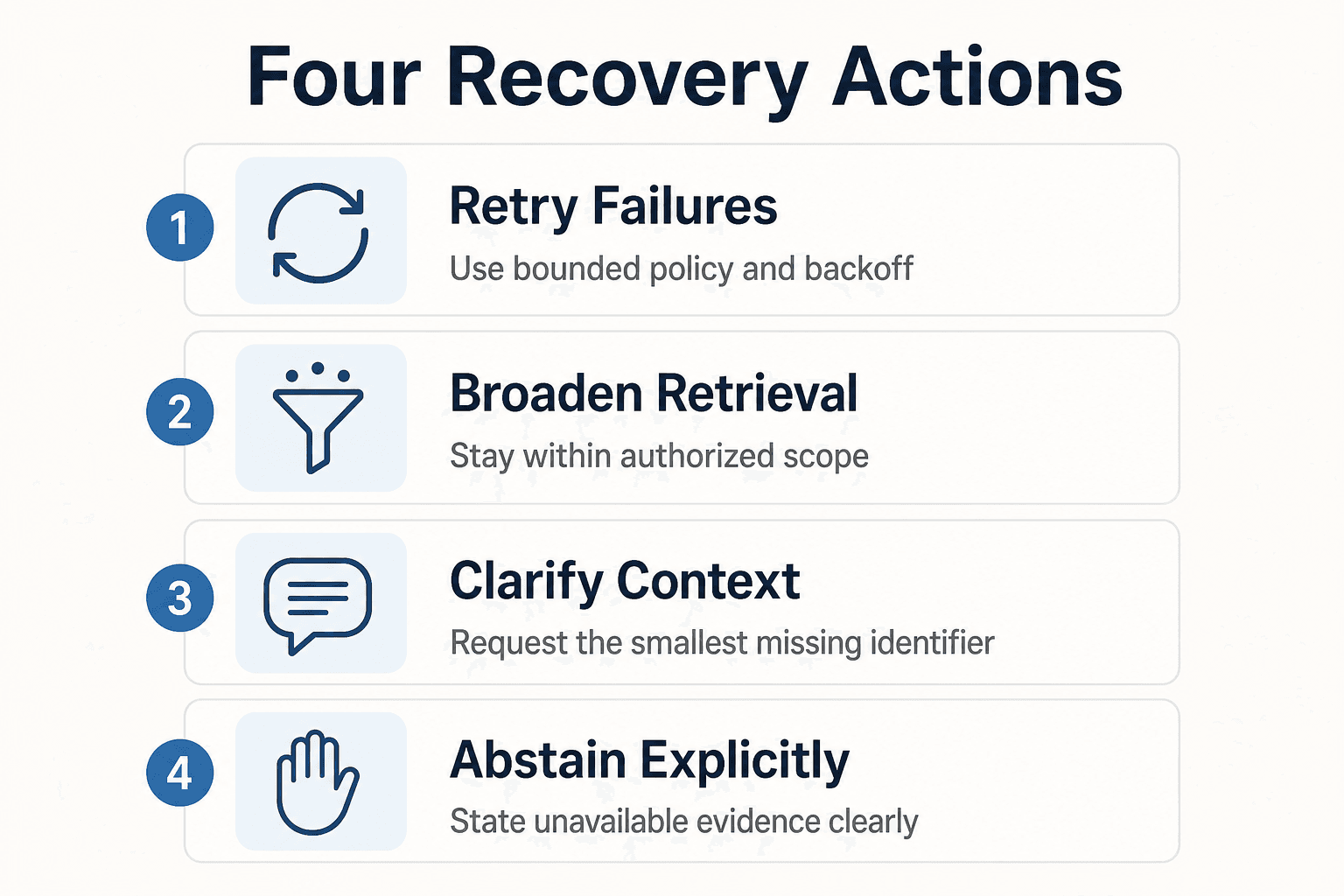
Step 2: Choose the right recovery action: retry, broaden, clarify, or abstain
Choose a recovery action that fits the observed outcome. Avoid repeating an unchanged request when the workflow has no reason to expect a different result.
Retry only for plausible transient failures, with limits and backoff
For a timeout, connection error, or temporary server failure, use the retry policy configured for the dependency. Keep the attempt budget small, and account for the possibility that additional requests can add load to an overloaded target service.
Use a retry to repeat a request when the dependency state may have changed. If the completed search lacks useful support, refine the query or request more context instead.
Broaden retrieval without silently crossing access or project boundaries
Relax one justified constraint at a time: try related terms, a wider date range, or another approved document type. Keep the same tenant, repository, and authorization scope unless your policy permits a change and the agent can tell the user what changed.
Do not silently turn a project-specific question into an organization-wide search. Tell the user when an authorized scope change affects the investigation.
Decompose a vague task into searchable entities and constraints
Break "Why did we change the auth flow?" into searchable parts: feature name, likely file, pull request, issue number, branch, author, and date range. Search those entities separately, then combine only results that point to the same decision.
This is query refinement, not proof of a project decision. When the task lacks identifiers or constraints, ask the user for a detail that can guide the search.
Ask a targeted clarification question when user context is missing
Ask for the smallest detail that changes the search: a repository name, file path, branch, issue link, document, or project name. Don't ask an open-ended question when one missing identifier is the real blocker.
For example: "Which repository and branch contains this change?" The answer supplies identifiers the agent can use for the next search.
Use explicit abstention when evidence remains unavailable
Say what was searched, within the approved scope, and what wasn't found. Then state that you can't verify the requested project fact from available evidence.
Keep it plain: "I couldn't find an authorized source that explains this decision. Please share the issue, pull request, or document if you want me to review it."
Step 3: Place shared memory within the retrieval workflow
Use shared memory to keep approved project context available across the tools and sessions involved in a task. Define which agents may retrieve that context and keep implementation-specific setup outside this workflow guidance.
[!note] Keep product-specific configuration, code, and interface details separate from conceptual workflow guidance. Verify implementation details before using them.
Workflow placement: capture durable project context, retrieve it during work, then review confirmed gaps
Use shared memory to make approved project context available where agents need it across sessions and tools. For each task, keep retrieval within the agent's permitted access scope, then route unresolved requests to a review process instead of treating generated text as a project record.
This workflow focuses on the decision boundary: retrieve available project context, preserve access controls, and escalate when the available material does not support a project-specific answer.
Keep implementation examples version-specific
Before publishing a configuration or code example, confirm the product version, supported interface, authentication approach, and relevant access-control behavior for the deployment it targets.
Use examples only when their product details can be verified. Otherwise, describe the workflow at a conceptual level rather than presenting placeholder syntax as working implementation.
Use clearly labeled pseudocode when implementation details are not documented
Use labels that leave no doubt:
Pseudocode only: retrieve authorized project context for the current task.
Do not label generic method names or configuration keys as GigaRAG code. Until an official interface is confirmed, a placeholder should communicate workflow intent rather than implementation detail.
Keep product claims within documented capabilities
Describe only capabilities confirmed for the deployment or product version in use. Do not turn conceptual workflow guidance into product-specific implementation claims.
Step 4: Prevent fallback loops and turn misses into memory improvements
Set a clear end condition for each fallback path. Bound repeated requests and clarification prompts so the agent can return a status response or hand off the task.
Cap attempts and stop repeated identical searches
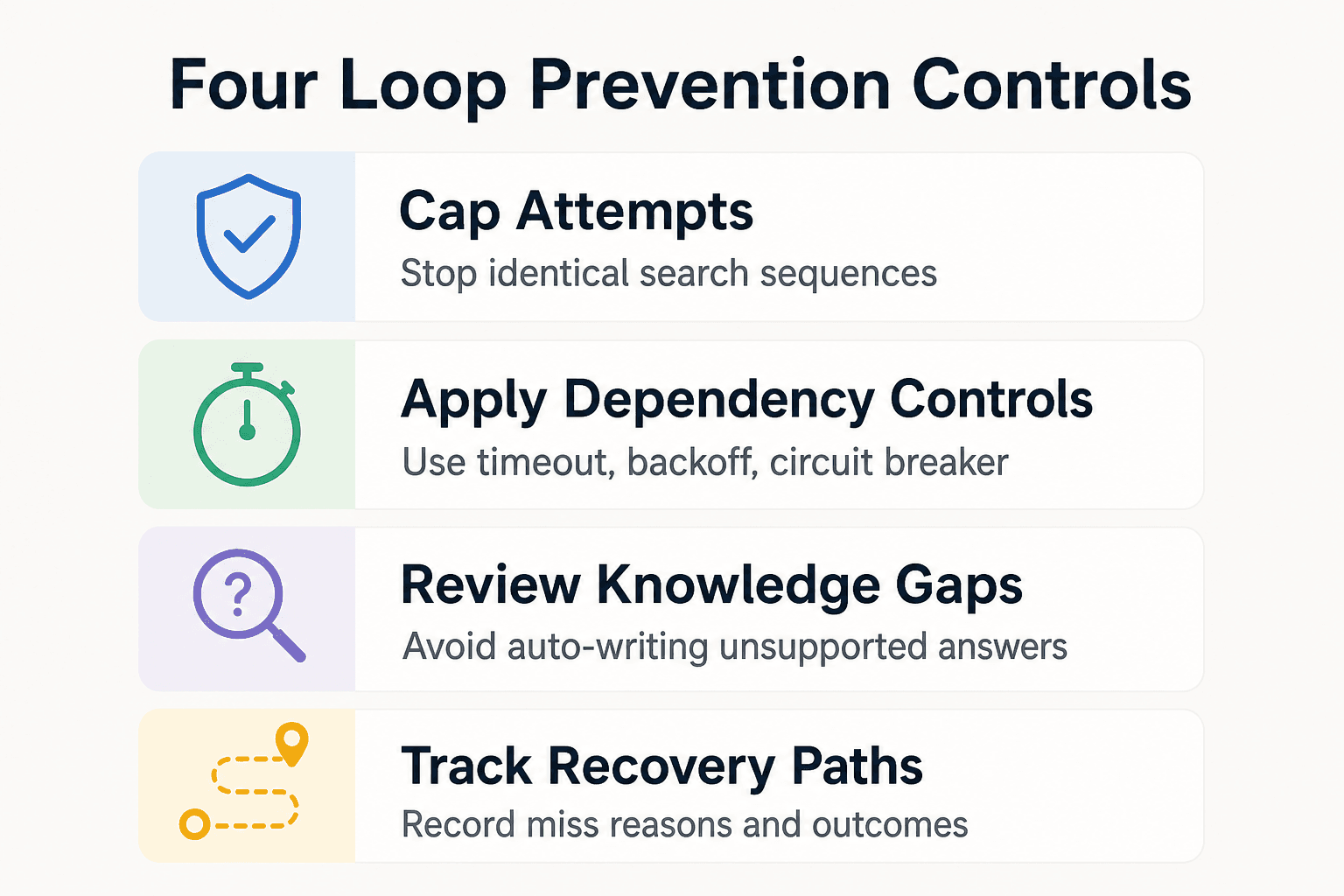
Give each retrieval path a small retry budget, then record that the budget is spent. Treat the same normalized query, filters, source scope, and time range as one attempt sequence, not as fresh work each time.
Don't repeat an identical clarification either. If the user has not supplied the requested file, link, branch, issue, or project name, escalate to abstention or handoff instead of asking again.
Use timeout, backoff, and circuit-breaker controls for dependency failures
Apply the timeout and retry settings defined for the retrieval dependency. Where the service policy uses exponential backoff or a circuit breaker, apply those controls consistently rather than issuing repeated immediate requests.
When dependency calls remain unsuccessful, stop at the configured retry limit and return a clear retrieval-unavailable status. Keep the unresolved request available for later follow-up rather than continuing the same call sequence.
Create a reviewed knowledge-gap queue rather than auto-writing unverified answers
When a request remains unresolved, log the request, observed outcome, authorized scope, requested evidence, and recovery outcome. Route items needing a source or decision review to the team process used for unresolved knowledge gaps.
Do not save the agent's unsupported fallback answer as memory merely because retrieval did not provide support. Add project knowledge through a reviewed process with an appropriate source.
Measure miss reasons, clarification rate, abstentions, and successful recovery paths
Track structured reason codes rather than one generic "no results" count. Useful measures include valid empty results, irrelevant results, permission denials, dependency errors, clarification requests, abstentions, and recoveries after a changed query or added source.
Keep the recovery path with each event so the team can examine which actions produced useful support.
Troubleshoot common symptoms: empty results, irrelevant results, permission failures, and repeated timeouts
For empty or weakly useful responses, inspect the task context and consider a more precise authorized query. For permission-related outcomes, follow the access path defined by your organization. For repeated timeouts, follow the dependency-failure policy.
When the retry budget is exhausted, stop retrying and report that retrieval was unavailable at that time. Follow the dependency policy for any further service checks.
Build fallbacks that preserve trust, not just task flow
Fallback logic should prevent an agent from treating missing support as permission to guess. Its job is to provide a bounded, transparent next step when project evidence is unavailable.
Start with the reason code, then choose one bounded action: retry a transient failure, repair a query, widen an authorized search, ask for missing context, or abstain. Don't stack these actions without a limit. Tell the user what the agent could not verify and what input would change the result.
Review unresolved requests before changing the knowledge base. Add project knowledge through the team's review process and tie it to an appropriate source or decision record.
Frequently asked questions
What should an AI agent do when retrieval returns no results?
First determine whether retrieval failed or completed with no relevant matches. For a completed empty search, repair or broaden the query when appropriate, ask for needed context, and abstain if the evidence remains unavailable.
When should an agent retry a failed retrieval request?
Retry when the dependency policy allows it for a timeout, temporary network problem, or temporary service failure. Use a bounded attempt budget, and account for the possibility that retries can add load to an overloaded service.
What should an agent do if it still cannot verify a project-specific answer?
State that the available project material does not support the requested answer, identify the most useful next input such as an issue, pull request, document, or repository, and avoid presenting general model knowledge as project history.
What is the difference between a retrieval error and a response with no useful support?
A retrieval error means the request did not complete successfully and should follow the service-recovery policy. A response with no useful support means the completed search does not provide material that verifies the requested project fact; refine the search, request context, or abstain.
When should an AI agent ask the user for clarification instead of searching again?
Ask when ambiguity about the project, decision, time period, or source prevents a useful query. If the request is clear, try a justified query repair or broader authorized search first.
When should an agent abstain rather than answer from general model knowledge?
Abstain when the user asks for project-specific facts and the available retrieval evidence does not support an answer. General knowledge is not evidence of why a particular project decision was made.
How can a team prevent an agent from repeating the same failed retrieval loop?
Set an attempt limit for dependency calls and stop repeating the same normalized query, filters, source scope, and time range. Record the outcome and move to a changed query, a clarification request, a handoff, or an abstention response.
Should a system automatically save an agent's fallback answer into long-term memory?
Not by default when the answer is synthesized without verified evidence. Review the missing source or decision before adding anything to long-term memory.
About GigaRAG
GigaRAG is a shared memory platform for AI agents that helps developers and teams keep project knowledge available across sessions and tools. Teams can connect agents to a central Hive Mind through MCP or the API. Access controls manage what each connected agent can use.


