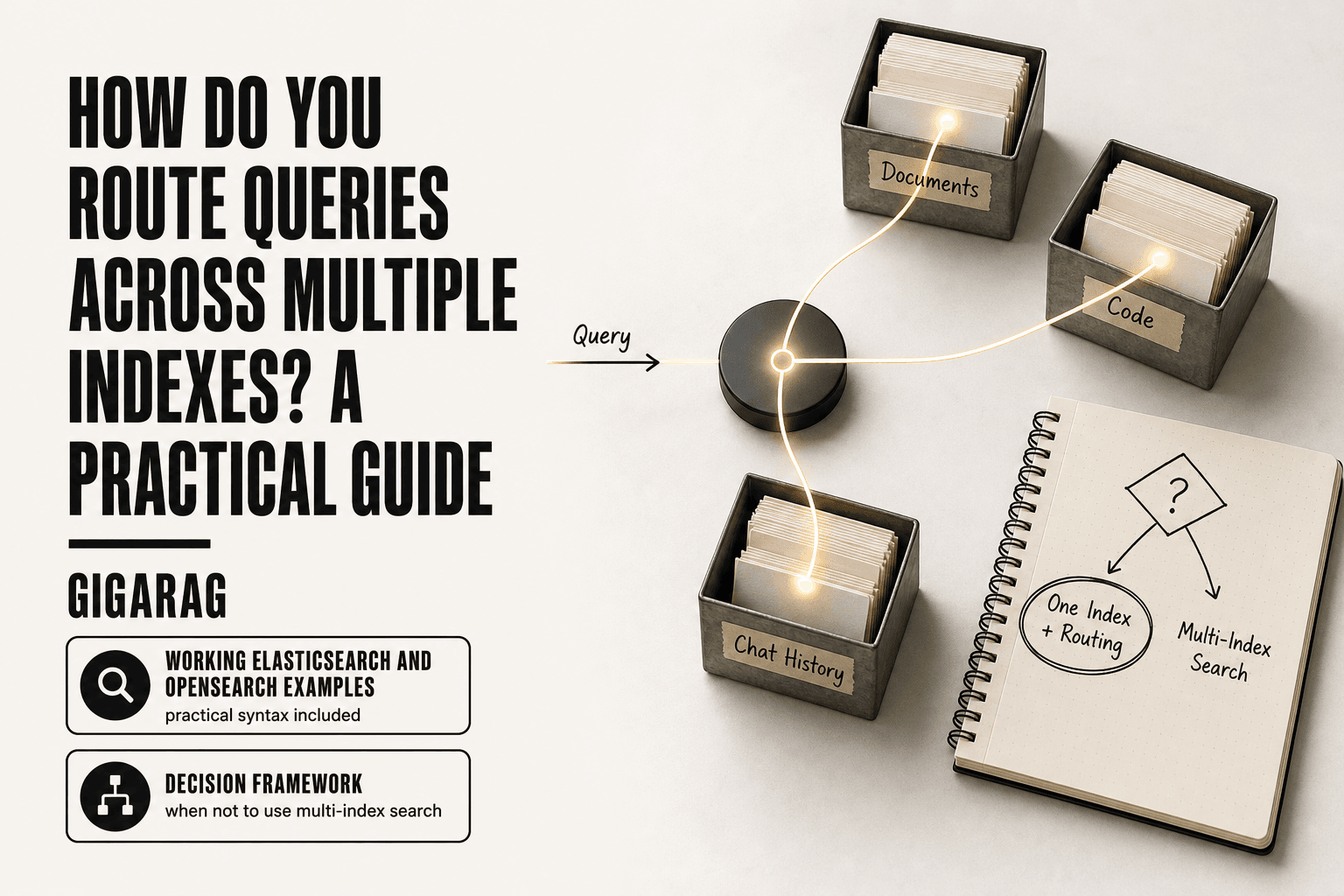
How Do You Route Queries Across Multiple Indexes? A Practical Guide
Route queries across multiple indexes all day and you'll hit the same wall every RAG and agent memory builder hits: the syntax is easy, but the decisions around it are not. Most guides stop at comma-separated index names and a wildcard. They won't tell you what breaks when mappings conflict, why pagination dies at 10,000 hits, or when a single index with routing beats three indexes and an alias. This guide goes further. You'll get working Elasticsearch and OpenSearch examples, a plain look at vector and hybrid index routing, and a decision framework that tells you when multi-index search is the wrong call. GigaRAG handles a lot of this routing automatically for agent memory and RAG indexing, but you still need to understand the mechanics underneath.
| At a glance | Details |
|---|---|
| Multi-index search | Query many indexes in one request |
| Aliases | Logical names for one or more indexes |
| Routing | Shard-level targeting for efficiency |
| Vector/hybrid | Requires separate or unified approaches |
| Pagination cap | Default 10,000 hits (configurable) |
| Performance risk | Cross-index queries can degrade speed |
In This Guide
- What Does It Mean to Route Queries Across Multiple Indexes?
- Multi-Index Search vs. Aliases vs. Routing: Which Should You Use?
- Basic Multi-Index Search Syntax in Elasticsearch and OpenSearch
- Route Queries Across Multiple Indexes: A Step-by-Step Guide
- Using Index Aliases to Simplify Query Routing
- Index Boost: Controlling Relevance Across Indexes
- Routing for Performance: Shards, Filters, and Query Planning
- Cross-Cluster Search: Routing Queries Across Clusters
- Routing Queries Across Vector and Hybrid Indexes for RAG
- What You Cannot Do with Multi-Index Queries
- When Not to Use Multi-Index Search: A Decision Framework
- Best Practices for Routing Queries Across Multiple Indexes
What Does It Mean to Route Queries Across Multiple Indexes?
Routing queries across multiple indexes means sending one search request to several indexes at once, then merging the results into a single ranked list. An index is a collection of documents with a shared structure. A shard is a slice of an index that lives on one node.
Single index vs. multi-index queries
A single-index query hits one index and returns results scored within that index alone. A multi-index query fans out to every index you name, scores documents per shard, then merges and re-ranks them globally.
Why routing matters for RAG and agent memory
RAG pipelines often split data by type: documents, code, chat history. Agent memory may separate short-term from long-term stores. Routing lets one query span all of them without duplicating data.
[!note] Multi-index queries in Elasticsearch and OpenSearch do not merge or deduplicate results across indexes; they simply search each index and combine hits. Mapping conflicts can cause errors if field types differ across indexes.
Multi-Index Search vs. Aliases vs. Routing: Which Should You Use?
| Factor | Multi-Index Search | Aliases |
|---|---|---|
| Use case | Ad-hoc queries across heterogeneous indexes | Stable logical grouping of indexes |
| Flexibility | High: specify any index pattern in query | Medium: alias must be pre-defined |
| Performance | Can degrade with many shards | Better if alias targets few indexes |
| Maintenance | Requires manual index list updates | Centralized alias management |
| Routing | Not directly applicable | Can route to specific shards |
Basic Multi-Index Search Syntax in Elasticsearch and OpenSearch
To search across multiple indexes, list their names in the request path separated by commas: GET /index1,index2/_search. You can also use wildcards like logs-* to match every index starting with logs-. The syntax is identical in Elasticsearch and OpenSearch.
Comma-separated index names
The simplest form names each index explicitly. A request to GET /users,orders,products/_search runs the same query against all three indexes and merges the hits. Order in the list doesn't affect scoring. If one index doesn't exist, the whole request fails unless you set ignore_unavailable=true.
Wildcard patterns
Wildcards match indexes by name pattern. GET /logs-2024-*/_search targets every monthly logs index. * matches any string, ? matches a single character. You can mix wildcards and explicit names: GET /logs-*,archive/_search. Exclusions use a leading minus: GET /logs-*,-logs-2023-*/_search.
OpenSearch vs. Elasticsearch syntax differences
The core syntax is the same. Both accept comma-separated names, wildcards, and the ignore_unavailable parameter. Differences show up in advanced features: OpenSearch uses _plugins endpoints for some operations, and index boost syntax varies slightly between versions. For basic multi-index search, you won't notice a difference.
[!tip] For RAG pipelines, consider using an alias that points to all relevant indexes for simplicity, but if you need to filter by index metadata, include an index name field in your documents to avoid cross-index confusion.
Route Queries Across Multiple Indexes: A Step-by-Step Guide
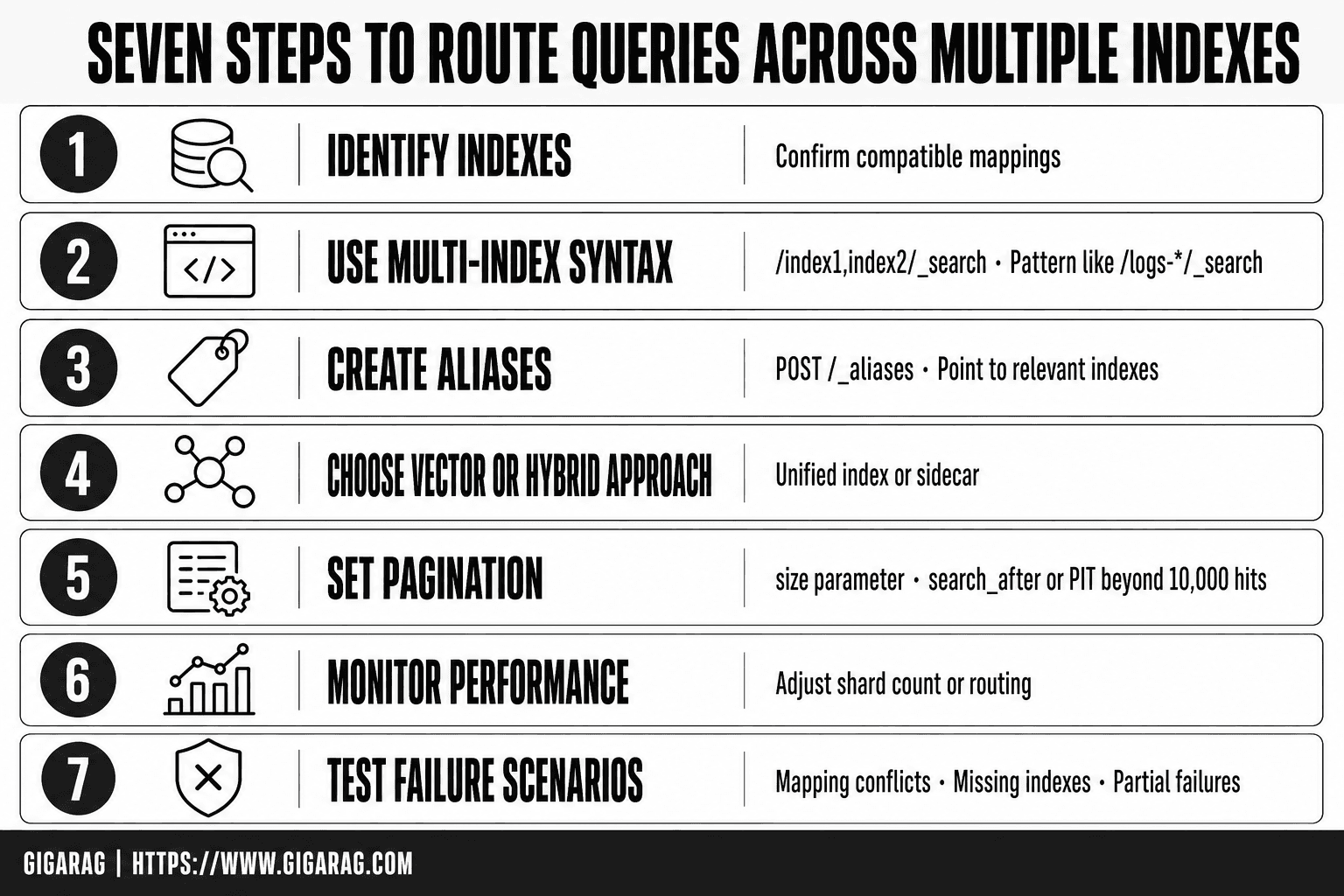
- Identify the indexes you need to query and confirm their mappings are compatible.
- Use the multi-index syntax in the request path (e.g., /index1,index2/_search) or a pattern like /logs-*/_search.
- If using aliases, create an alias that points to the relevant indexes (e.g., POST /_aliases).
- For vector/hybrid search, choose a unified index or use a sidecar approach to combine results.
- Set the 'size' parameter and consider 'search_after' or PIT for deep pagination beyond 10,000 hits.
- Monitor performance and adjust shard count or routing if latency increases.
- Test failure scenarios: mapping conflicts, missing indexes, and partial failures.
Using Index Aliases to Simplify Query Routing
Direct index names work until you rename an index or split a large one. Then every query breaks. Aliases fix that.
What is an index alias?
An alias is a stable name pointing to one or more indexes. You query the alias, not the index. When an index changes, you repoint the alias. No query changes.
Alias vs. direct multi-index query
Direct queries are fine for two or three indexes that never change. Aliases win when indexes rotate, split, or scale. The main catch: aliases add a layer of indirection you must document.
Index Boost: Controlling Relevance Across Indexes
Index boost lets you weight one index higher than another in the same query. Results from the boosted index score higher, so they surface first. It's a relevance control, not a routing control.
Index boost syntax
Add an indices_boost array to your query body. Each entry names an index and a multiplier.
{
  "indices_boost": [
    { "curated_kb": 3.0 },
    { "raw_logs": 1.0 }
  ],
  "query": {
    "match": { "content": "payment failure" }
  }
}
The multiplier scales the _score of every hit from that index. A boost of 3.0 triples the score. It doesn't change which documents match, only their order.
When to boost in RAG pipelines
Boost when one index is more trustworthy than another. A curated knowledge base should outrank raw support logs for the same query. The honest answer: boost is a blunt tool. It shifts everything from an index up or down, not individual documents. For finer control, use field-level boosting or a reranker after retrieval.
Routing for Performance: Shards, Filters, and Query Planning
Routing controls which shards a query touches. Without it, every query fans out to all shards in every index you name. That's fine for three indexes. It hurts at thirty.
Routing values and shard targeting
A routing value pins documents to a specific shard at index time. Query with the same value and the engine skips every other shard. For agent memory, route by user_id or session_id. One user's history lives on one shard. The query hits one shard instead of fifty.
Filtering before querying
Filters run before scoring. A term filter on tenant_id eliminates shards that can't match, so the expensive full-text or vector search runs on less data. Put the filter first in your bool query.
Performance tradeoffs
Routing helps when one value dominates a query. It doesn't help when you search across all users. And routing values create hot shards if one user generates far more data than others. The honest answer: routing is a scalpel, not a default. Use it when you know the access pattern.
Cross-Cluster Search: Routing Queries Across Clusters
Cross-cluster search sends one query to indexes living in separate clusters, then merges the results. It's the answer when your data physically can't share a cluster: different regions, different teams, different compliance boundaries.
What is cross-cluster search?
You configure a remote cluster connection, then query remote_cluster:index_name alongside local indexes. The remote cluster runs the search locally and ships back only the top hits. Latency is the main catch. Every query pays a network round trip to each remote cluster.
When to use it instead of multi-index
Use it when indexes must stay separate. Don't use it when one cluster would do. Multi-index search within a cluster is faster and simpler. Cross-cluster is for hard boundaries, not convenience.
Routing Queries Across Vector and Hybrid Indexes for RAG
Vector indexes don't route like keyword indexes. You can't just comma-separate names and expect merged relevance. Each vector index has its own embedding model, dimension count, and distance metric. Mixing them in one query produces garbage scores.
Vector index routing basics
Route before you search. Use metadata filters to pick the right vector index, then run the query against that one index only. A namespace field works well: tenant_id, agent_id, memory_type. Filter on it, then search.
Hybrid search across multiple indexes
Hybrid means keyword plus vector. Run both searches separately, then merge results with reciprocal rank fusion. Don't try to force one query across both index types. The scoring spaces don't align.
Metadata filtering for agent memory
Agent memory splits naturally: episodic, semantic, procedural. Store each in its own index. Filter on memory_type before vector search. It's faster than searching everything and returns cleaner results.
What You Cannot Do with Multi-Index Queries
Multi-index search is not a join. It cannot combine fields from two indexes into one result row. Each hit comes from one index, full stop.
Mapping conflicts
If two indexes map the same field name to different types, the query fails. user_id as a keyword in one index and a long in another throws an error. You fix it by renaming fields or aligning mappings before you query.
Pagination limits
Elasticsearch caps pagination at 10,000 hits. from + size beyond that returns an error. Use search_after or the scroll API for deep pagination. Both are slower and more complex.
No cross-index joins
You cannot join documents across indexes. No parent-child, no SQL-style joins. If you need related data in one result, denormalize it into a single index before you search.
When Not to Use Multi-Index Search: A Decision Framework
Multi-index search is a tool, not a default. Use it when indexes share mappings and you need one result set. Skip it when you don't.
Multi-index vs. alias vs. routing
- Multi-index: query two or more indexes directly. Best for ad-hoc searches across similar data.
- Alias: one name points to several indexes. Best when index names change or you rotate indexes.
- Routing: send a query to one shard using a routing value. Best when you know which shard holds the data.
Single index with routing as an alternative
If your data splits cleanly by tenant, user, or date, one index with routing beats multi-index search. You get one mapping, one query path, and shard-level targeting. Fewer moving parts.
Best Practices for Routing Queries Across Multiple Indexes
You've seen the syntax and the failure modes. Now the rules that keep multi-index routing from turning into a maintenance tax.
Alias-first strategy
Point your queries at an alias, never at raw index names. When you rotate indexes, swap the alias and your query code doesn't change. This matters most in RAG pipelines where index names carry dates or versions. An alias hides that churn.
Mapping compatibility checks
Before you route a query across indexes, confirm the fields match. A keyword field in one index and a text field in another will throw errors or return garbage. Test with a dry-run query against each index separately. Don't wait for production to tell you.
Performance monitoring
Watch query latency as you add indexes. Each index adds shard scans, and at some point the merge cost outweighs the convenience. Log slow queries and check the profile API when latency climbs. If you can't list your indexes from memory, you have too many. Use GET _cat/indices to see them all.
Route queries across multiple indexes only when the indexes share mappings and the result set belongs together. Otherwise, one index with routing, or an alias over a rotating set, will serve you better. The syntax is the easy part. The decision is the work.
Frequently Asked Questions
How can I search across multiple indexes in OpenSearch?
You can specify multiple indexes in the request path, e.g., GET /index1,index2/_search, or use a wildcard pattern like /logs-*/_search. OpenSearch supports the same multi-index syntax as Elasticsearch. Ensure that the mappings are compatible to avoid errors.
How do I use the multi-match query in Elasticsearch?
The multi_match query allows you to search multiple fields in a single query. For example: { "query": { "multi_match": { "query": "text", "fields": ["title", "content"] } } }. This is useful when you want to search across fields within an index, not across multiple indexes.
Can Elasticsearch paginate search results to more than 10,000 hits?
By default, Elasticsearch limits pagination to 10,000 hits using from+size. To go beyond, you can use the search_after parameter with a point-in-time (PIT) context, or increase the index.max_result_window setting (not recommended for deep pagination due to performance).
How can I list all the indexes in Elasticsearch?
You can list all indexes by sending a GET request to /_cat/indices?v or /_aliases. The response includes index names, health, status, and other details. This is useful before constructing multi-index queries.
What are the performance implications of multi-index search?
Searching across many indexes can increase latency because the query is executed on every shard of each index. Performance degrades with the number of shards and the total data size. Using aliases to limit the index set or optimizing shard counts can mitigate this.
How do I handle mapping conflicts when querying multiple indexes?
If fields have different types across indexes, queries may fail. You can use the ignore_unavailable parameter to skip missing indexes, but mapping conflicts still cause errors. Ensure consistent mappings or use fields with the same type across indexes.
Can I route queries across multiple vector indexes?
For vector indexes, you can either store all vectors in a single index with a filter field, or query multiple indexes and merge results manually. Some vector databases support cross-index search, but Elasticsearch/OpenSearch do not natively merge vector results from different indexes.
About GigaRAG
GigaRAG helps GigaRAG is for agent memory and RAG pipeline builders. get this right. Whether you are working through How Do You Route Queries Across Multiple Indexes? A Practical Guide or something adjacent, we publish what we have actually tested, including where it falls short.