Stale Answers After a Document Is Updated: How to Find the Stale Layer
Your editor shows the new requirement, but your coding agent repeats the old one. Stale answers after a document is updated are not one bug category. Reopening the file or reconnecting the agent cannot prove that retrieval, the index, or prior model context is current.
The main catch is that an old answer can enter at several layers: source access, extracted text, chunks and embeddings, the vector index, retrieval results, agent context, or a response cache. Shared agent knowledge can help agents find the same memo, but it will not create version IDs, select an active version, invalidate application caches, or handle stale responses for you. The good news is that you can isolate the break with one changed fact and evidence from each layer.
Quick answer
An updated file does not prove that an agent's retrieval path has updated. Trace the answer through source access, extraction, embeddings and indexes, retrieval results, agent context, and response caches.
- Check each layer before deciding what to refresh.
- Verify the changed value with a second connected agent.
- Set freshness and stale-response behavior in your application.
What stale answers after a document is updated actually means
Stale answers happen when a source has changed, but your system builds its reply from an older representation of it. A stale document is an old source version. Stale data can be an old extracted field, chunk, embedding, or retrieved passage, while a stale cache is a saved result that skips newer work.
Stale document vs. stale data vs. stale cache
These terms overlap, but they are not the same. The fault can sit anywhere between file storage and the final answer.
Why a fresh file view does not prove a fresh answer
Your editor can show the new file while the index still holds old chunks. The agent may also have the prior fact in its conversation context, or your application may return a cached response.
Seeing the change is not enough.
The observable symptom: old facts returned after a source change
The symptom is simple: you change a fact, then ask for it and receive the old value. That does not prove the cache is at fault. It tells you to trace which representation supplied the answer.
Which layer might be stale?
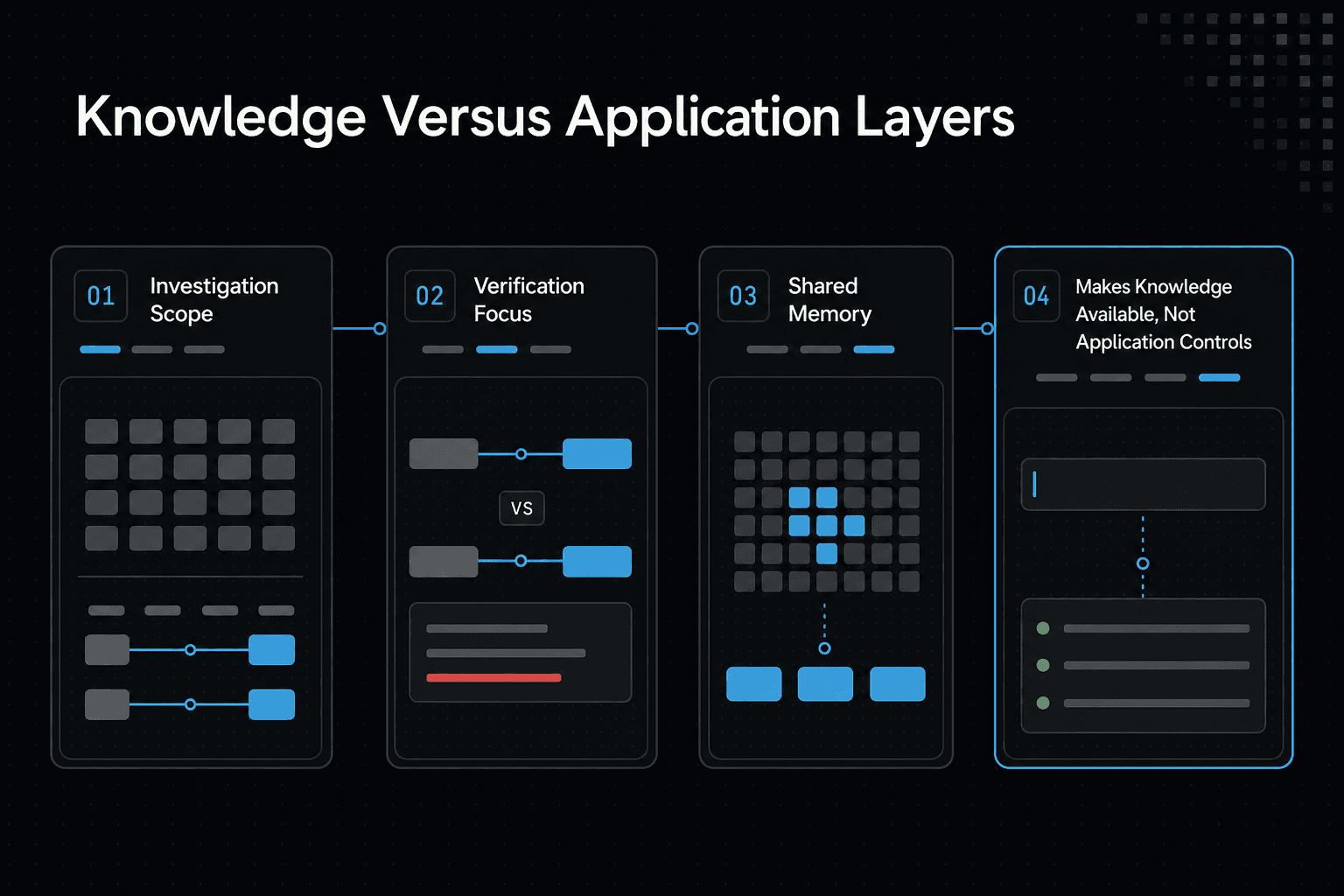
| Factor | Knowledge layer | Application layer |
|---|---|---|
| Where to investigate | Source reads, extracted text, embeddings, indexes, retrieval results, and agent context | Document version IDs, active-version pointers, cache invalidation, and stale-response handling |
| What to verify | Whether the changed value reaches the agent's retrieved context | Whether your application serves the intended document version and response |
| What shared agent memory does | Can make project knowledge available to connected agents | Does not automatically implement versioning or cache and stale-response controls |
Trace the freshness path from source file to agent answer
Treat freshness as a path, not a switch. Start with the changed source, then follow every copy and saved result that can carry its old value into an answer.
[!tip] For a repeatable check, change one distinctive value and ask two connected agents for that exact value. This helps distinguish shared-knowledge access from application-level freshness behavior.
Layer 1: source storage and file synchronization
Ask: does the system read the same file version you edited? Check the file path, object version, write time, branch, and sync status. A local edit that has not reached shared storage leaves downstream jobs with nothing new to ingest.
Layer 2: extraction, chunking, and ingestion jobs
Ask: did ingestion extract the new text and finish? Compare the extracted text or chunk payload with the changed sentence, then check the job status and input version.
A successful upload is not enough. If parsing failed, a job was skipped, or deduplication treated the file as unchanged, the index can still reflect old text.
Layer 3: embeddings, index replacement, and deleted chunks
Ask: did the new chunks replace the old ones? Inspect chunk IDs, document IDs, version fields, and deletion status. Adding embeddings for the new file without removing or suppressing prior chunks creates two competing versions.
Layer 4: retrieval filters, reranking, and cached search results
Ask: what passages did retrieval return for this query? Log the retrieved chunk IDs, scores, filters, and reranked order. A retrieval cache can return yesterday's result before search runs at all.
Layer 5: agent conversation context and final-answer caches
Ask: did the model receive an old fact before it retrieved anything new? Review conversation history, system-supplied memory, tool output, and any cached final response. Even clean retrieval cannot force a fresh answer if your application reuses an earlier completion.
Step-by-step: trace and verify a document update
- Change one identifiable value in a document that the agent can access.
- Confirm that the connected agent can read the updated source.
- Check whether the extracted text and indexed representation reflect the changed value.
- Ask one connected agent for the value and note what it retrieves.
- Ask another connected agent to retrieve the same value from shared project knowledge.
- If the result is still old, inspect retrieval results, agent context, and application caches separately.
- Define and test the application's version, invalidation, and stale-response behavior.
Why common refreshes do not fix stale RAG results
Refreshing a screen can make the source look current while downstream copies remain old.
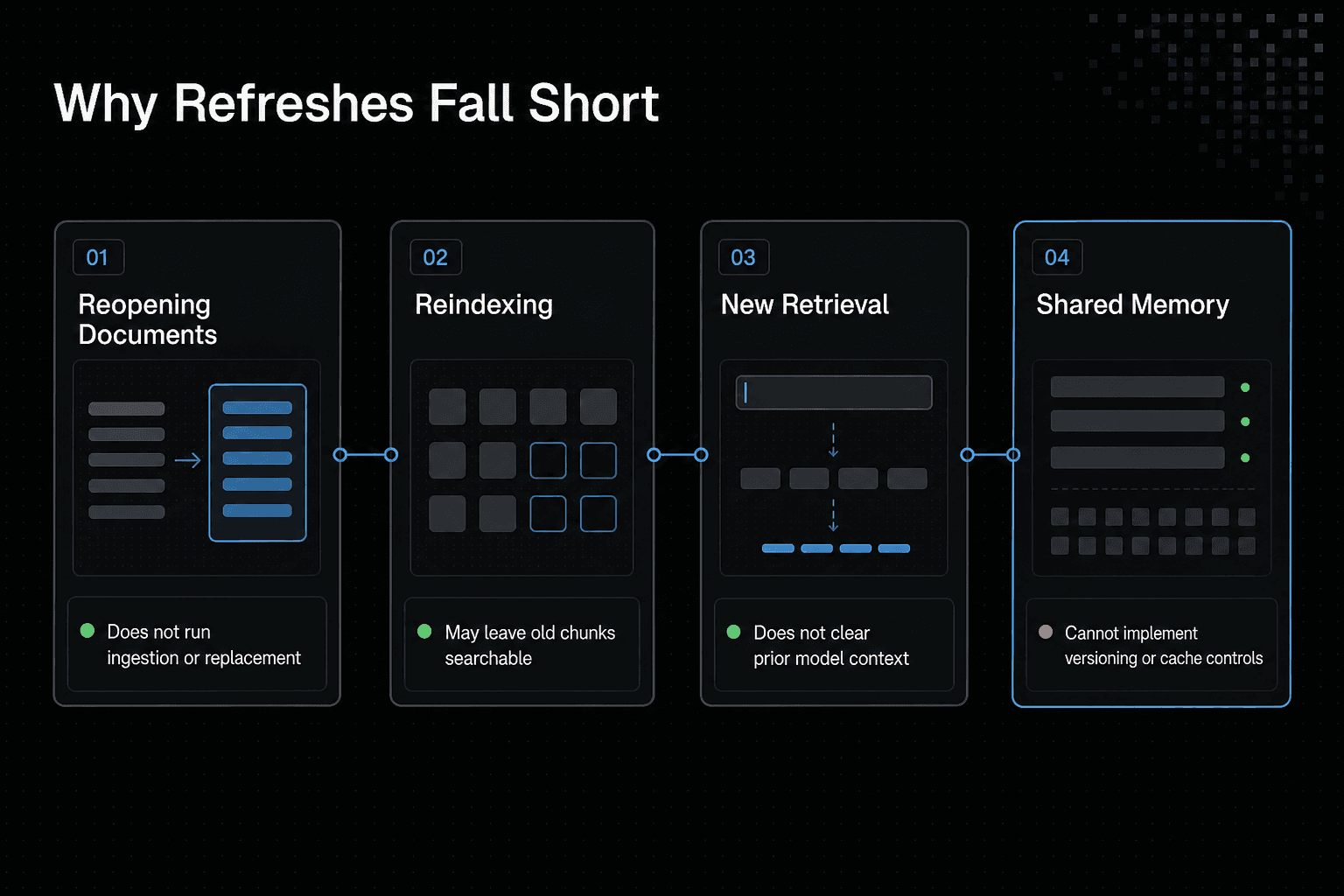
Reopening a document is not reindexing it
Opening a document reads what that editor or client can see. It does not run extraction, create new chunks, embed them, or replace records in a vector index. Check the ingestion job and input version.
Reindexing is not proof that old chunks are excluded
Reindexing can still leave old chunks searchable. If the job adds new records under a new ID but does not delete, mark inactive, or filter the prior version, retrieval can return either copy.
A new retrieval result is not proof that the model context is clean
A different search result is not proof that model context is clean. Earlier chat turns, injected memory, a tool-output cache, or a final-answer cache can still supply the previous value. Log what went into the prompt, not only what search returned.
What shared memory can handle and what the application must implement
Shared memory can hold project notes that connected agents can read and update. That is useful, but it cannot by itself assign document version IDs, select an active version, invalidate your caches, or reject a stale response. Your app must own and test these controls.
How to use GigaRAG for shared agent knowledge
Shared memos give connected agents one place to read and change project facts. They do not make your application's answers fresh by themselves: you still need version rules, cache invalidation, and an end-to-end test.
[!note] GigaRAG shared memory does not automatically create document version IDs, active-version pointers, cache invalidation, or stale-response handling in your application.
Create an account and workspace, then generate an API key where the selected documented connection method requires one
Start with a GigaRAG account and workspace for the project. Keep the key scoped to the workspace, and do not put it in a memo, prompt, or checked-in config file.
The main catch is access control. Any agent that can update shared knowledge can change what other agents later retrieve.
Connect with the official CLI
Install and connect with the documented CLI:
npm install -g gigarag
gigarag login
gigarag connect
Follow the official connection documentation for the sign-in and connection flow. Run these commands in a terminal you control, then confirm the agent client uses that connection.
Set up the documented MCP connection for Claude Code and VS Code
Use the official Claude Code setup guide or VS Code setup guide for the MCP configuration. MCP, or Model Context Protocol, is the bridge that lets the agent call GigaRAG as a tool.
Do not copy a config block from an unrelated client. The server command, authentication method, and config location must match the client you use.
Restart the agent and verify the connection
Restart the agent after adding the MCP server. Then ask it to list the available GigaRAG buckets.
If it cannot list buckets, stop there. A memo test will not tell you anything useful until the connection and workspace access work.
Search, read, create, and update shared project memos
Use the documented MCP tools or the GigaRAG API documentation to create a memo with a distinct fact, search for it, read the returned memo, and update that memo. Record the bucket and memo identity with each result.
Keep the test small. For example, write "Release gate: staging approval," then change it to "Release gate: security approval."
Run a two-agent change test
Have Agent A update the memo. In a separate session, ask Agent B for the release gate and require it to report the memo identity and returned value.
Agent B should return "security approval" and the expected memo. If it returns the old value, inspect the memo read and retrieval evidence before blaming shared knowledge.
Implement and test freshness controls in your RAG application
Shared knowledge is not enough. Your application must decide which document version retrieval can use, then prove that a changed fact reaches the final answer.
Add document version IDs and an active-version rule
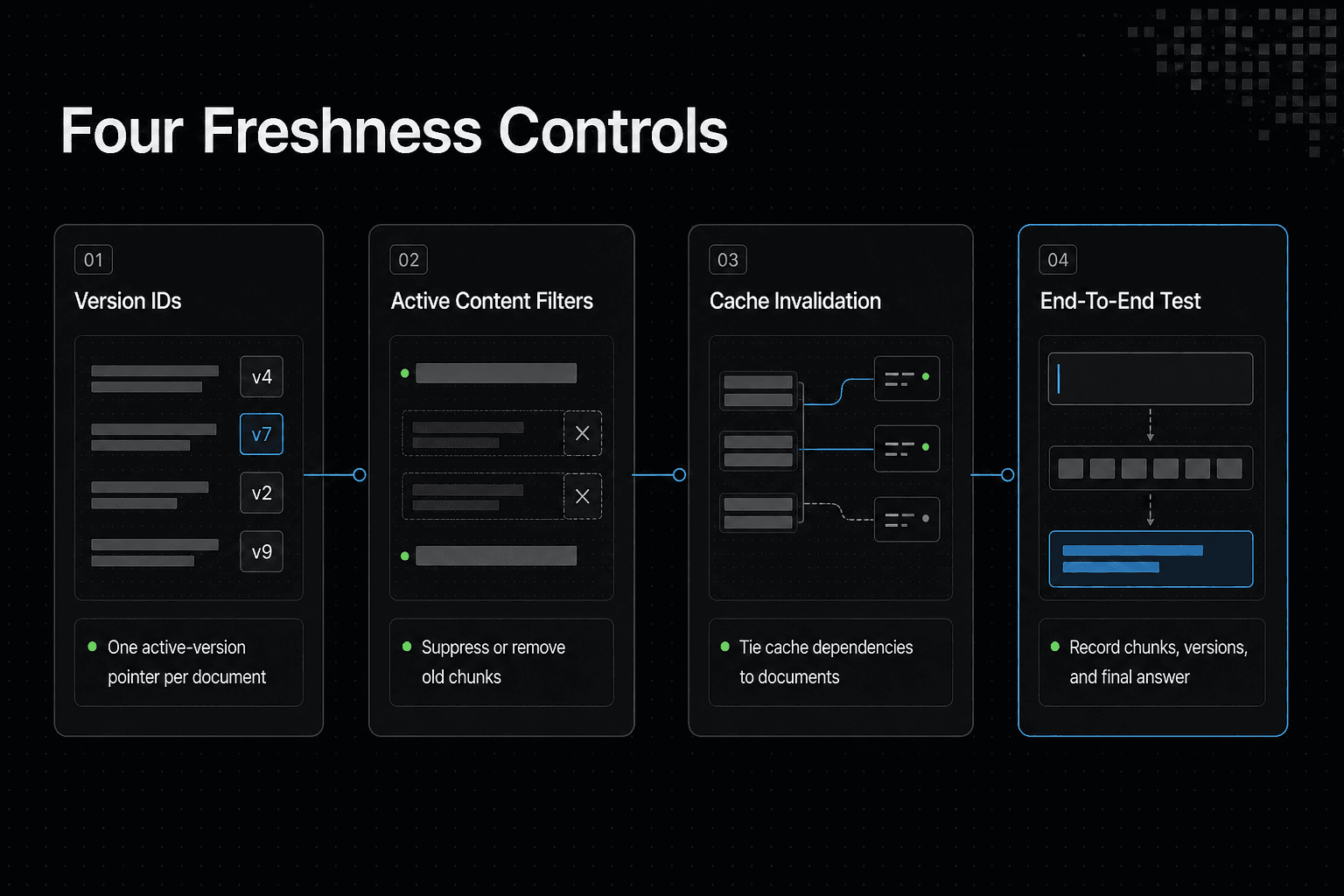
Give every ingestion a document ID and version ID. Store one active-version pointer per document, so retrieval has a clear rule when two versions exist.
Filter retrieval to active content and remove or suppress superseded chunks
Put the version and active status in chunk metadata. Filter for active chunks at query time, then delete or suppress old chunks so they cannot win retrieval.
Invalidate retrieval and answer caches on content changes
A source update should invalidate cached searches and cached answers tied to that document. Track document IDs in cache keys or dependencies.
Write an end-to-end freshness test with a deliberately changed fact
Start with a distinct value, retrieve it, then replace it with a different value. Re-run ingestion and query through the same application path. Record retrieved chunk IDs, version IDs, and the final answer.
Set honest expectations: no memory tool alone can guarantee a fresh application answer
The honest answer is that no tool can enforce these controls for you. Your retrieval filters, cache rules, and stale-response handling determine whether users get the changed fact.
Frequently asked questions
What does stale cache mean?
It means a cached result may not reflect the current source. In a RAG application, check response caches as well as retrieval-related layers.
What is outdated data in a RAG application?
It is information that no longer reflects the intended current source. The mismatch may occur in source access, extraction, indexing, retrieval, agent context, or an application cache.
What does it mean when a document is stale?
It means the document or a copy of its contents may not reflect the intended current version. Seeing an updated file in an editor does not establish that an agent's retrieval path has updated.
Why does an AI agent give an old answer after a file is updated?
The agent may use old information from a source read, extracted text, embedding or index, retrieval result, prior agent context, or response cache. Check those layers separately rather than assuming the index is the only cause.
Does reindexing a document automatically remove old embeddings?
Not necessarily. Reindexing alone does not establish that old embeddings or other outdated representations were removed. Verify what the index contains after the update.
How can I test whether a RAG application is retrieving the latest document version?
Change one identifiable value, then ask a connected agent to retrieve it. Ask a second connected agent the same question and check whether the application returns the changed value rather than an older one.
Can GigaRAG shared agent memory prevent stale responses by itself?
No. GigaRAG shared memory does not automatically create document version IDs, active-version pointers, cache invalidation, or stale-response handling for your application.
What should be invalidated when a source document changes?
Inspect the representations and results that may still contain the old value: extracted text, embeddings or indexes, retrieval results, agent context, and response caches. Decide and test invalidation behavior at the relevant layers.
About GigaRAG
GigaRAG is a shared memory platform for AI agents that helps developers and teams keep project knowledge available across sessions and tools. You can connect agents to a central Hive Mind through MCP or the API.
Access controls help you manage what each agent can use. However, you still need to set and test versioning, cache invalidation, and stale-response behavior in your own application.


