What Is a Vector Database? A Developer's Guide
A vector database stores embeddings, numerical representations of meaning, so your app can find related text, code, images, or other records even when they do not share the same words. That makes semantic search and RAG possible, but it will not make weak source data correct, enforce permissions, or give an AI agent durable shared memory across sessions.
The main catch is that embeddings are not the database, and vector search is only one retrieval step. You still need chunking, metadata, indexing, query logic, and a way to use the returned context.
Quick answer
A vector database stores and retrieves embeddings so your application can search for semantically related content. It can support RAG or an AI agent's context retrieval, but it is not persistent shared memory by itself.
- Use it when semantic retrieval solves a real need.
- Keep memory and application logic separate from the retrieval layer.
What is a vector database?
A vector database stores embedding vectors, numbers that represent content for machine comparison. It returns items whose vectors sit close to a query vector, which supports meaning-based retrieval rather than exact word matching.
It cannot create embeddings, judge truth, or give an AI system durable memory by itself. You still need an embedding model, source records, access rules, and application logic.
Embeddings: numerical representations of meaning
An embedding model turns text, code, images, or audio into a vector of numbers. Content the model judges similar should sit near each other in that numerical space.
That is useful, but it depends on the model and the input.
What a vector database stores alongside vectors
The vector is not enough. A record commonly also needs an ID, the original content or a pointer to it, and metadata such as source, date, tenant, or permission tag.
Those fields let your app identify, filter, and display retrieved results.
Vector database vs. vector index vs. embedding model
These parts do different jobs. The embedding model produces vectors. A vector index organizes them for nearest-neighbor lookup. The database stores records and may manage indexing, metadata, filtering, updates, and queries.
An index alone is not a complete retrieval system.
AI embeddings are not GIS vector data
The name causes confusion. GIS vector data describes geometric features such as points, lines, and polygons on a map. AI embedding vectors are ordered numbers that represent patterns learned by a model, not locations or shapes.
Vector search vs. keyword search vs. no vector layer
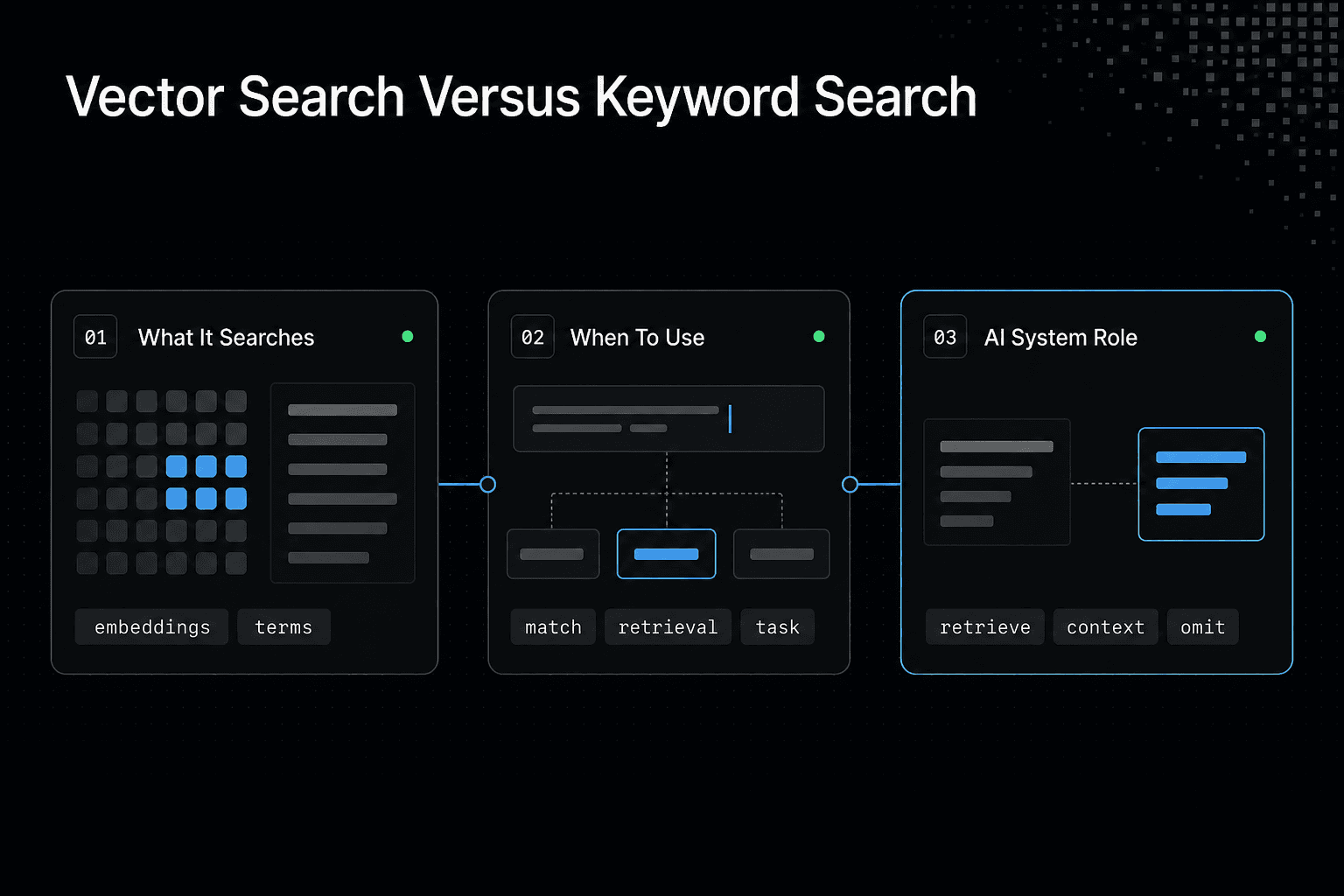
| Factor | Vector search | Keyword search or no vector layer |
|---|---|---|
| What it searches | Embeddings representing content | Terms, or content without a vector retrieval step |
| Use it when | Semantic retrieval fits the task | A simpler retrieval approach fits the task |
| Role in an AI system | Retrieves context for application-side use | Can replace vector retrieval, or be omitted |
How vector databases work: from embedding to retrieval
A vector database workflow turns source content into embeddings, stores each vector with useful metadata, then compares a new query vector against the stored set to return relevant records. It finds numerical similarity, not guaranteed truth, complete context, or the right answer without good source data.
[!note] A vector database is a retrieval component. It does not define how an agent keeps or shares knowledge across sessions.
1. Split source content into retrievable chunks
Start with content your application can show or use: documents, code files, tickets, product records, or tool output. Split large sources into smaller chunks, because one embedding for an entire manual or repository file is too broad to retrieve a useful passage.
Chunk boundaries matter. Keep enough surrounding text to preserve meaning, but do not pack unrelated ideas into the same record. Otherwise, a close match may still give your app the wrong context.
2. Generate and store embeddings with metadata
Send each chunk to an embedding model. The model returns a vector, an ordered list of numbers that represents patterns in that chunk.
Store it with a stable ID and metadata. Metadata might include a document path, section title, update time, tenant ID, or access tag, while the original text can sit in the same record or another store.
3. Build a vector index
The database builds an index over stored vectors so it can search without comparing every vector one by one. The exact index depends on the system, corpus size, latency needs, and how much recall you can give up for faster lookup.
This is where trade-offs start. A faster approximate index can miss a close result, while exact search can take more time as the collection grows.
4. Embed the query and find similar vectors
When someone searches, embed the query with a compatible embedding model. A query such as "how do I reset a user password?" becomes a vector in the same numerical space as stored chunks.
The database compares that vector to the index, often applies metadata filters, and returns nearby matches. Filters can limit results to one tenant or current documentation, but they cannot repair vague queries or stale source content.
5. Return records, scores, and source context
Your application receives matching IDs, similarity scores, metadata, and sometimes stored text. It can show passages as search results, fetch fuller records, or place selected chunks into an LLM prompt.
Keep in mind: a high score means numerical closeness under that model and metric. It does not prove a record is correct, current, permitted, or enough for the task.
Step-by-step: trace a semantic search request
- Choose the project documents, issues, or tool outputs to make searchable.
- Split the selected content into chunks.
- Create embeddings for those chunks.
- Index the embeddings in the chosen retrieval system.
- Embed a search query and retrieve related content.
- Pass retrieved context to the application or agent for use.
The core concepts behind vector search
Cosine similarity and Euclidean distance
Similarity needs a rule. Cosine similarity compares the angle between vectors, while Euclidean distance measures the straight-line distance between their positions.
Neither metric is always right. Use the metric your embedding model and database setup expect, because changing it can change which records count as close matches.
Nearest-neighbor search: exact vs. approximate results
Nearest-neighbor search finds stored vectors closest to a query vector. Exact search checks every candidate, which gives the true nearest results under the chosen metric but can become costly as the collection grows.
Approximate nearest-neighbor search, or ANN, examines a smaller set of likely candidates instead. It can return results faster, but it can miss true nearest neighbors.
Why HNSW, IVF, and product quantization exist
These are index strategies that make ANN practical. HNSW builds a graph of nearby vectors, IVF groups vectors into clusters before searching, and product quantization compresses vectors to reduce memory use.
The main catch is that each strategy moves a different dial. More memory, build time, or search work may improve recall, while stronger compression or narrower search can reduce cost and lose useful matches.
Metadata filtering, namespaces, and tenant boundaries
Vector closeness alone rarely defines what a user may see. Metadata filters can limit a search to a document type, product version, access tag, or tenant ID before your application uses the returned records.
Namespaces can separate collections, but they are not a substitute for permission design. Make sure you enforce tenant and user access rules in the parts of your system that own authorization.
Recall, latency, index size, and the quality trade-off
Recall is the share of relevant nearest results your search returns compared with exact search. Latency is how long a query takes, and index size is the memory or storage the search structure needs.
It depends on your workload: corpus size, query rate, filter use, update frequency, and what a missed result costs. A permission-sensitive agent workflow needs stricter checks before retrieved context reaches the model.
A basic semantic search workflow for developers
A basic workflow turns source material into retrievable chunks, then uses close matches to answer a search or supply context to an application. It cannot prove a result is correct, current, or allowed for a given user. Your application still owns those checks.
[!tip] For a coding-agent prototype, start with one bounded set of project context, such as repository documentation. Trace how retrieved results reach the agent before you expand the indexed material.
Example architecture: source files, embedding model, vector store, and application
A small vector database example can use markdown docs or source files, a chunking job, an embedding model, a vector store, and a search endpoint. The job reads each file, splits it into passages, creates an embedding for each passage, then stores that vector with the passage text and metadata.
The application receives a user's question, creates a query embedding, searches the store, and decides how to show or use the returned passages.
Ingest documents with stable IDs and useful metadata
Start with stable IDs. A chunk ID can combine a document ID, version, and chunk position, so an updated file replaces old chunks instead of leaving stale copies behind.
Keep metadata that supports real filters: source path, document type, product version, tenant, access label, and update time. Store fields your application will actually filter or display.
Query flow: embed, filter, retrieve, rerank if needed
At query time, embed the user's text with the same model family used for stored chunks. Apply filters before you use results, such as limiting a search to the user's tenant and the current documentation version.
Retrieve a small candidate set. If semantic similarity produces weak ordering, a reranker can score candidates again using the full query and passage text rather than vector distance alone.
Use retrieved passages in search results or an LLM prompt
For search, return the passage, title, source link, and enough surrounding context for the user to judge it. A high similarity score is not an explanation.
For RAG, send a limited set of retrieved passages to the LLM with clear instructions to ground its answer in those sources. Keep source IDs with the prompt so you can show citations, inspect failures, and avoid treating generated text as a source of truth.
What this workflow cannot guarantee: correctness, freshness, or permissions by itself
Retrieval finds candidates, not facts. An outdated chunk can still rank well, and a close match can answer a different question than the user meant.
Freshness depends on ingestion and deletion. Permissions depend on authorization checks and reliable metadata, so do not let a vector store become the only boundary between a user and restricted content.
Where vector databases fit in RAG, AI agents, and semantic search
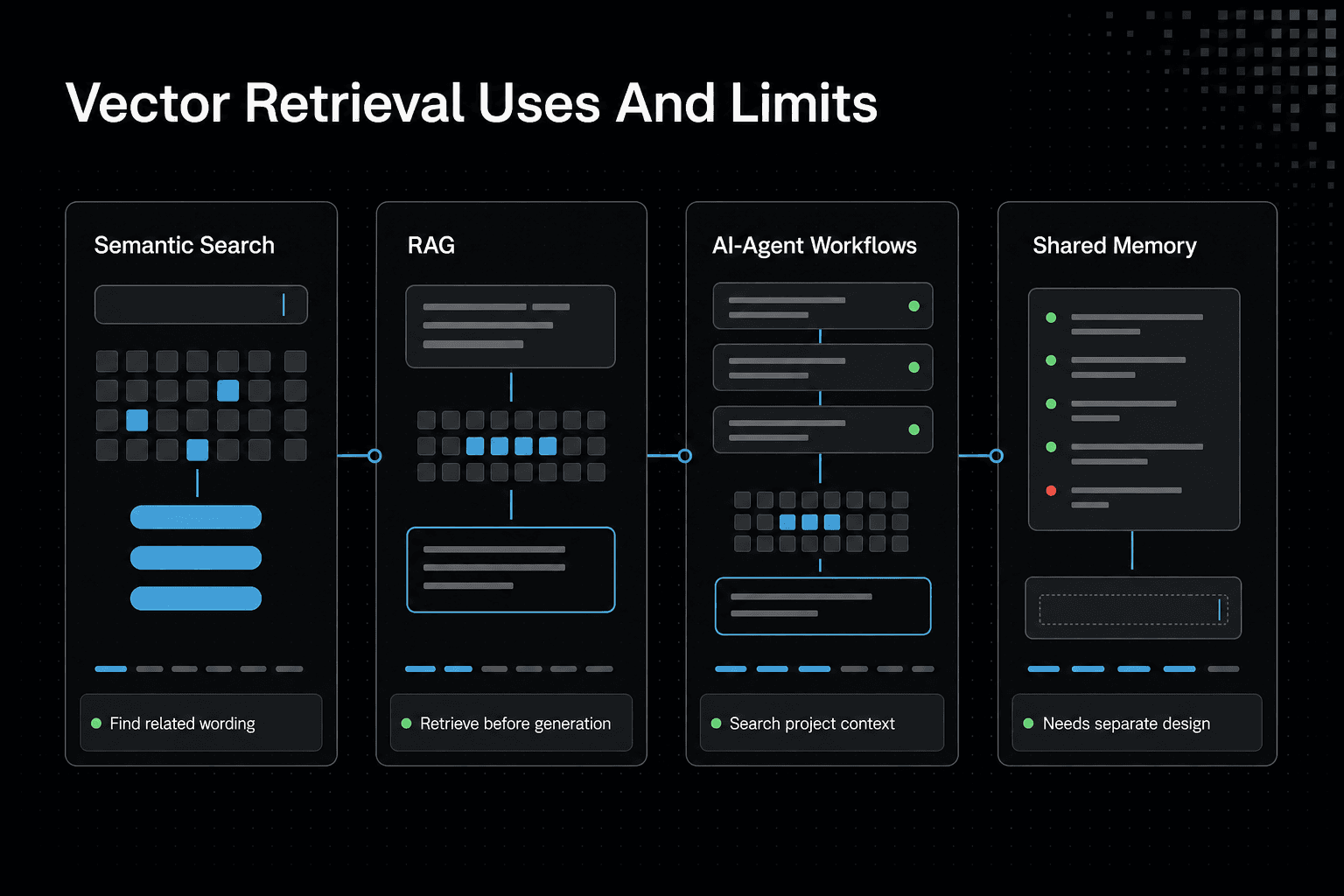
Vector retrieval finds relevant stored context. It does not decide what is true, enforce access rules, or give an agent durable shared memory across sessions. Those jobs need application logic, source management, and a deliberate memory design.
Semantic search and knowledge-base retrieval
Semantic search helps when a user's words do not match the source's wording. A query about "resetting access" can retrieve a passage titled "account recovery" if their embeddings are close.
This suits documentation, support content, policies, and internal knowledge bases. Exact product names, error codes, and legal terms may still need keyword search or filters.
RAG: retrieve context before generation
In retrieval-augmented generation, or RAG, the vector store supplies passages before the LLM writes an answer. The model gets selected source text in its prompt instead of relying only on what it learned during training.
That is useful, but limited. Retrieval can return stale, incomplete, or poorly matched context, and the LLM can still make claims the passages do not support.
AI-agent workflows: repositories, docs, tickets, and tool outputs
A coding agent can search indexed repository files, API docs, issue tickets, run logs, and prior tool outputs for context related to its current task. This reduces the need to place an entire codebase or long project history in every prompt.
Keep records tied to paths, commits, timestamps, and access controls. Without those details, an agent may use code that changed or ticket notes that no longer apply.
GigaRAG addresses a different part of the design. It helps developers and teams keep project knowledge available across sessions and tools, while vector retrieval can help an agent find relevant stored context.
Recommendations and multimodal retrieval
The same pattern can retrieve similar items for recommendations when you embed item descriptions, behavior signals, or other relevant content. Multimodal embeddings can also place images, text, or audio in a shared search space.
Similarity is not the same as preference, eligibility, or safety. Your ranking rules still need business constraints.
Vector retrieval is not persistent shared memory
An agent can retrieve prior notes if you store and index them. That is recall, not memory management.
Durable shared memory also needs rules for what to save, who can read it, when it expires, how conflicts are resolved, and how updates replace old facts. A vector database can support that system, but it cannot design it for you.
GigaRAG connects agents to a central Hive Mind through MCP or the API, with access controls to manage what each agent can use. That shared-memory layer does not remove the need to decide what knowledge should persist.
Vector database vs. PostgreSQL, keyword search, and simpler retrieval
You do not need a vector database because you use an LLM. Start with the retrieval task: what users ask for, what records must match, how often data changes, and whether semantic similarity solves a real failure in your current search.
Choose keyword search when exact terms and filters matter most
Use keyword search when users look for known names, error codes, IDs, quoted phrases, or fields with clear values. It suits logs, product catalogs, legal text, and support tickets with specific codes.
Semantic search can blur distinctions that matter. If "ERR_401" must return records containing "ERR_401", a vector match alone is not worth the risk.
Choose PostgreSQL with pgvector when relational data is central
Choose PostgreSQL with pgvector when your application already keeps documents, users, permissions, and relationships in PostgreSQL. You can keep vectors close to source records and combine similarity search with normal SQL conditions.
The main catch is operational fit. It depends on data volume, query load, filters, and latency needs, so do not assume one database will stay simple at every scale.
Choose a dedicated vector database when retrieval scale or specialization justifies it
A dedicated vector database is worth considering when vector retrieval is a core workload rather than a small feature. That can mean large collections, frequent similarity queries, specialized indexing needs, or separate scaling for retrieval infrastructure.
More infrastructure brings more work. You need ingestion, synchronization, access controls, monitoring, and deletion rules across another system.
Use hybrid retrieval when both exact terms and semantic meaning matter
Hybrid retrieval combines keyword signals with vector similarity, then ranks candidate results. This helps when a query contains both a strict term and broader intent, such as a product name plus a natural-language problem.
Do not add it by default. Use it when test queries show that either method alone misses useful results.
Cases where no vector layer is necessary
Skip vectors when a small set of files can be searched directly, when a structured query answers the task, or when you can place needed context in the prompt without retrieval. For a narrow workflow with stable data, file lookup or in-memory search may be enough.
That is often the better first build. Add a vector layer only after you can name the semantic retrieval problem it will solve.
Pinecone, Weaviate, Milvus, Chroma, and pgvector: how to compare options
Product names do not settle the design question. Compare what each option asks you to run, where your data lives, how queries behave under filters, and what happens when the workload grows.
Comparison criteria: deployment model, operations, scale, filtering, and ecosystem fit
Start with deployment: managed service, self-hosted system, local library, or PostgreSQL extension. Then check the work behind it, including index tuning, backups, upgrades, access control, observability, deletion, and data synchronization.
Ask for proof with your own queries. A tool that performs well on unfiltered similarity search may fit poorly once you add tenant rules, frequent writes, or permission filters.
Pinecone: evaluate as a managed vector-service option
Treat Pinecone as an option for teams that want a managed vector service rather than another database cluster to operate. The appeal is less infrastructure ownership, but you still need to manage ingestion, source-of-truth data, permissions, and retrieval evaluation.
Check current deployment choices, supported index behavior, filter rules, regional availability, and pricing in the official documentation before you commit. Managed service can be worth it when operations are the constraint, not when the workload is still small and uncertain.
Weaviate and Milvus: evaluate for feature set, deployment, and operational ownership
Compare Weaviate and Milvus on features you will actually use: filtering, hybrid search, index choices, update patterns, client support, and deployment options. Both may give you more control than a managed-only path, but control creates operational work.
If you self-host, make sure you can run upgrades, capacity planning, backups, security patches, and incident response without turning retrieval into a side project.
Chroma: evaluate for local development and lightweight workflows
Chroma is worth evaluating when you need a simple local or lightweight starting point for prototypes and small workflows. That can shorten the path from source files to retrieval.
Do not assume a development-friendly setup is your production design. Check its current persistence, deployment, scaling, and access-control options against the way your application must run.
pgvector: evaluate when PostgreSQL integration and relational data matter
Evaluate pgvector when vectors belong beside relational records already stored in PostgreSQL. Keeping document rows, metadata, permissions, and embeddings in one database can make data modeling and transactional updates easier.
It is not automatically the cheapest operational choice. Your fit depends on vector count, query concurrency, index needs, filtering, and whether PostgreSQL must also carry the rest of your application's load.
Why there is no universally best vector database
The honest answer is that it depends on your workload, team, and operational tolerance. A managed service may suit a retrieval-heavy product, while pgvector may suit a relational application, and a local tool may be enough for early development.
Before you choose, write down representative queries, required filters, update rates, permission rules, latency targets, and failure modes. If you cannot name those yet, a costly vector platform probably is not worth it.
Performance, cost, and operational trade-offs
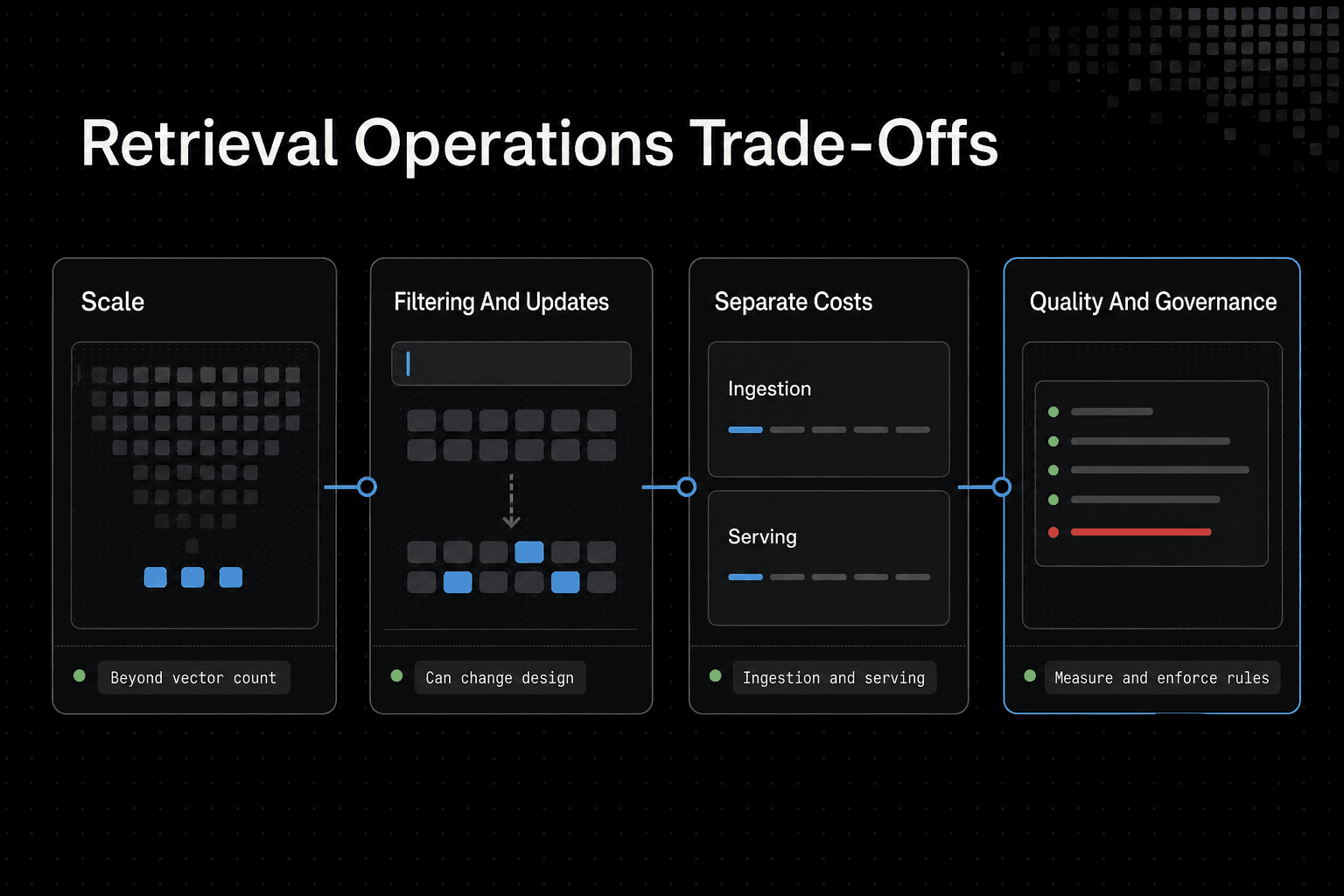
Your choice is not just about which system can hold the most vectors. It is about whether retrieval still meets latency, access, update, and budget needs after real application rules enter the query path.
Scale is more than vector count
Count vectors, but do not stop there. Embedding dimensions, metadata size, index settings, query concurrency, replication, and the number of tenants can all affect required hardware or service capacity.
Set a latency target for the whole request, not only nearest-neighbor search. Embedding, filtering, reranking, and prompt assembly also take time.
Filtering and frequent updates can change the design
Metadata filters can be essential. They can also narrow the candidate set or add work to each query, depending on the system and index design.
Frequent updates raise another question: when does changed source content become searchable? Define how you handle new records, replaced chunks, deleted records, and failed ingestion jobs.
Embedding generation, storage, and query costs are separate
Do not put every cost into the database line item. You may pay for embedding source content, embedding each query, storing vectors and indexes, reading results, reranking, and moving data between systems.
Keep an ingestion budget and a serving budget. A large backfill can cost differently from steady query traffic, and changing embedding models may require you to generate and index the corpus again.
Measure retrieval quality with representative queries
Fast wrong results are still wrong. Build a small evaluation set from real search, RAG, or agent tasks, with expected source passages and the filters each task requires.
Check recall at the number of results your application actually uses. Then inspect failures: missing chunks, poor source text, bad metadata, permission mistakes, weak queries, or a result that looks similar but does not answer the task.
Plan for permissions, deletion, freshness, and observability
A vector store does not enforce your product's rules by itself. Make sure every retrieved record is checked against the caller's permissions, and decide where that rule lives before you ingest sensitive content.
Track ingestion status, embedding version, source version, query latency, filter behavior, retrieval failures, and deletions. Keep stable source IDs so you can replace or remove every derived chunk when a document changes or a user asks for data removal.
Common misconceptions and a quick decision framework
A vector database cannot make an agent remember everything. It retrieves source records that were ingested, embedded, retained, and allowed by your access rules. It does not track goals, verify facts, or create durable shared state on its own.
A vector database does not make an agent remember everything
Treat retrieval as a lookup step, not memory. An agent still needs explicit state for plans, user preferences, task progress, and decisions that must survive across sessions.
Better embeddings do not remove the need for good source data
Embeddings can find related passages, but they cannot repair stale docs, missing files, weak chunk boundaries, or wrong permissions. Bad input remains a retrieval problem.
Start with the simplest retrieval system that meets the task
If exact IDs, product names, and filters drive the task, keyword search or PostgreSQL may be enough. Add vector search when users need meaning-based matches that simpler queries miss.
Decision checklist: semantic need, data shape, filters, scale, and operational tolerance
Ask five questions: do queries need semantic matching, what records and metadata must you search, which filters are mandatory, how much data and traffic do you expect, and can you run another retrieval system? If the answer to semantic need is vague, do not build vector infrastructure yet.
The practical takeaway for AI builders
Vector databases are worth using when semantic retrieval fixes a real failure in your product: users ask in their own words, and exact-match search misses the right code, docs, or records. They are not a default layer for every AI feature.
Start with the task, not the database. Model the data you need to retrieve, define who can see it, and build representative queries before you decide that similarity search is the answer.
GigaRAG can keep project knowledge available across sessions and tools for AI agents. However, you still need application rules for permissions, source freshness, and what shared knowledge should persist.
Build the smallest system that proves the need.
Frequently asked questions
What is the difference between an embedding model and a vector database?
An embedding model creates embeddings from content or queries. A vector database stores and retrieves embeddings for a search workflow.
How does a vector database find similar results?
A semantic-search workflow turns content and a query into embeddings, then retrieves related content from indexed embeddings.
When should I use a vector database?
Consider one when semantic retrieval meets a real application need, such as finding relevant project context for an AI workflow. Evaluate it against simpler retrieval approaches before adding a vector layer.
Do I need a vector database for RAG?
Not necessarily. A vector database can provide retrieval for RAG, but the need for that component depends on your application's retrieval requirements.
Can I use PostgreSQL instead of a dedicated vector database?
Yes. PostgreSQL with pgvector is an option when relational data is central, but the right choice depends on your data volume, query load, filtering, and latency needs.
What is the difference between vector search and keyword search?
Vector search retrieves using embeddings, while keyword search retrieves using terms. Keyword search is often a better fit when exact names, IDs, error codes, or quoted phrases must match.
Can a vector database give an AI agent persistent memory?
No. A vector database can help retrieve project knowledge for an agent, but persistent shared memory requires application-side rules for what to save, who can read it, when it expires, and how updates replace old facts.
Are AI embedding vectors the same as vector data used in GIS?
No. AI embeddings are ordered numbers used for semantic retrieval. GIS vector data describes geometric features such as points, lines, and polygons.
About GigaRAG
GigaRAG is a shared memory platform for AI agents that helps developers and teams keep project knowledge available across sessions and tools. It can support workflows where agents need access to shared project context beyond a single prompt or session.
Connect agents to a central Hive Mind through MCP or the API. Access controls manage what each agent can use, while your application still needs its own rules for source freshness, permissions, and retained knowledge.


