
When to Self-Host Instead of Buying Managed Services
Running software is not the same as deploying it once. When you ask when to self-host instead of buying, don't start with the server bill. Start with who owns patches, backups, upgrades, alerts, incidents, and the 2 a.m. on-call rotation.
Self-hosting cannot remove that work, and a managed service cannot hand off your accountability for data, access, or service quality. Neither model is automatically cheaper, safer, more private, or less locked in. Self-hosting can give you tighter control over customization and data boundaries; managed infrastructure can return engineering time and operational coverage. The main catch is that both claims depend on your workload, your team's operating skill, and the contract or architecture you can exit.
Quick comparison
Self-hosting is not automatically cheaper, safer, or more private. Compare total ownership, including engineering time, on-call work, upgrades, and exit costs, before choosing.
| Decision factor | Self-host | Managed service |
|---|---|---|
| Infrastructure spend | Team pays for and operates the infrastructure | Provider operates the service; evaluate its full cost |
| Operational ownership | Team owns upgrades, reliability, and on-call work | Provider handles some operations; confirm the service boundary |
| Best fit | Team can justify and operate the required control | Team prefers provider operations and can meet its requirements |
When to self-host instead of buying: a quick comparison
A deployment gives you software to run, not the people, runbooks, on-call coverage, backup tests, and upgrade work needed to keep it dependable.
Is self-hosting worth it? It depends on your workload, your control requirements, and whether a named team can own production operations for years rather than launch week.
Self-hosted vs. managed service comparison table
| Factor | Self-hosted | Managed service |
|---|---|---|
| Control | You choose the stack, settings, and release timing. | You work within the provider's product and service limits. |
| Time to launch | Slower, because you build deployment and operating practices. | Usually faster, if the service fits your needs. |
| Customization | Strong when you need custom integrations or runtime behavior. | Limited to supported configuration and APIs. |
| Compliance fit | Can meet strict data-boundary needs, if you operate controls well. | Can fit requirements, but you must check the actual service boundary. |
| Operating burden | Your team owns patches, monitoring, backups, incidents, and capacity. | The provider owns some operations, not your application choices or access controls. |
| Support | You diagnose and fix most failures. | A support contract may provide an escalation path. |
| Elasticity | You plan and pay for capacity. | The service may scale with demand, within its limits and pricing model. |
| Exit options | You control the environment, but migration still takes work. | Portability depends on data exports, APIs, contracts, and proprietary features. |
The main catch is that control creates work. Managed services trade some control for a defined operating boundary, which can be worth more than lower infrastructure spend.
The non-negotiable ownership question
Before you self-host, name the person or team that owns alerts, security fixes, restore tests, upgrades, and incident response. No owner means don't self-host.
A managed service doesn't remove accountability. You still own your data, permissions, integration failures, costs, and the plan for leaving if the service stops fitting your needs.
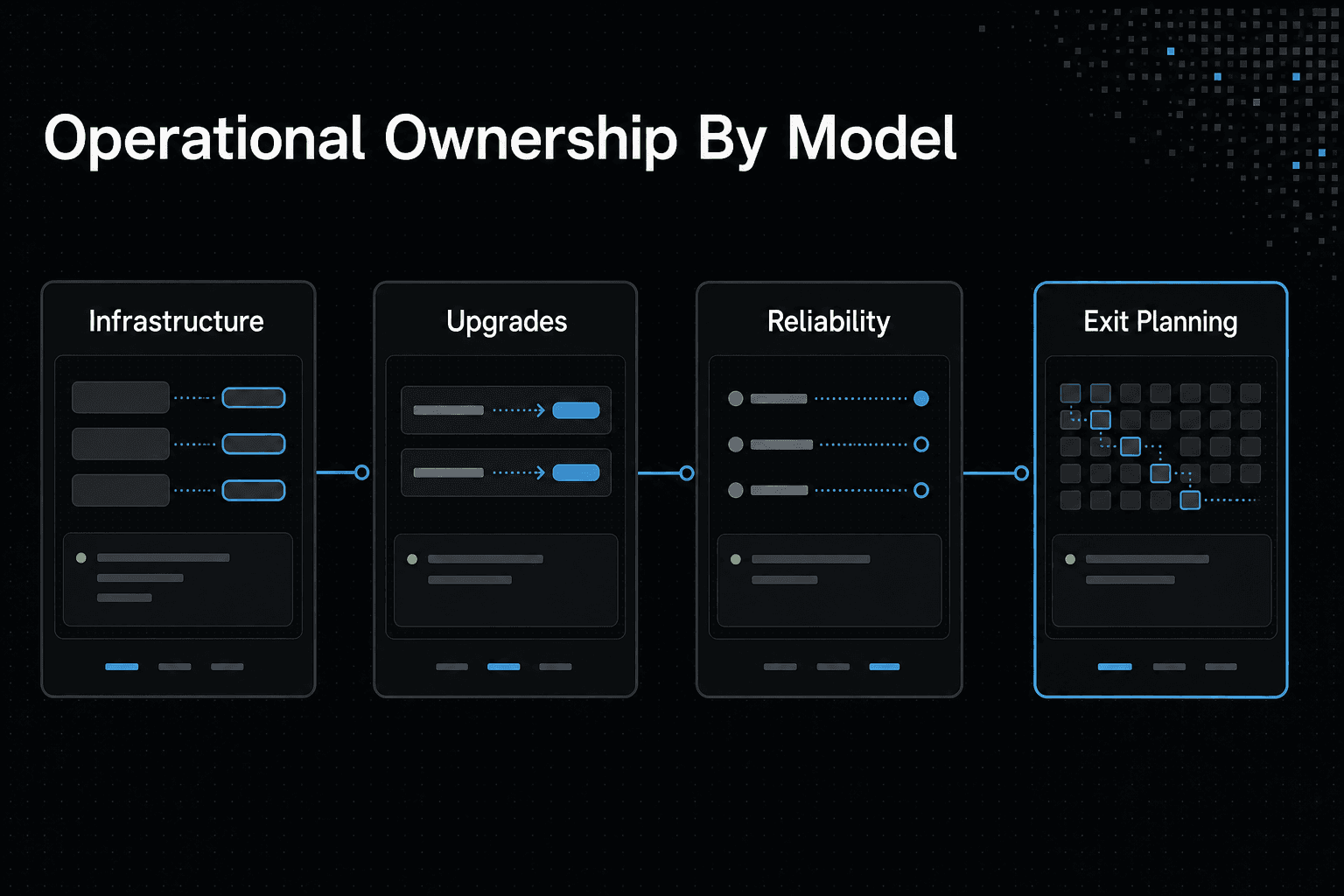
Who owns the operational work?
| Factor | Self-host | Managed service |
|---|---|---|
| Infrastructure | Select, configure, and pay for infrastructure | Use the provider's service and pricing model |
| Upgrades | Plan and perform upgrades | Confirm what the provider updates and what remains yours |
| Reliability | Assign responsibility for operating the service | Confirm support commitments and customer responsibilities |
| Exit planning | Plan how to maintain or replace the deployment | Assess migration effort and dependence on provider-specific features |
When self-hosting makes technical and financial sense
Self-hosting makes sense when the control you gain has clear value, and your team can carry the operating load. It does not turn a deployment into reliable production operations, reduce risk by itself, or make costs predictable without capacity planning and active ownership.
Control, customization, and data boundaries
Choose self-hosting when a managed service cannot meet a hard requirement: where data may live, how it must be encrypted, which identity system it must use, or how the software must behave at runtime. Deep changes to code, network paths, release processes, or integrations can also justify running it yourself.
Control has a price. You must maintain custom work through upgrades, security fixes, and changing dependencies, so don't self-host merely to avoid a provider's opinionated defaults.
Predictable workloads and utilization
Stable demand can make self-hosting easier to plan. If you know the baseline capacity, growth rate, and performance needs, you can size infrastructure and compare its full cost against a managed bill over several years.
Variable demand changes the calculation. A managed service may be worth more when traffic arrives in spikes, because excess self-hosted capacity costs money while it sits idle. It depends on how much demand moves, how quickly it moves, and what service level your users expect.
The infrastructure expertise threshold
Self-host only when a named owner can run it through failures, not just install it. That means someone accountable for monitoring, access control, patching, backups, restore tests, incident response, capacity, and upgrades.
Keep in mind that this can be a small team with clear duties, not a large platform group. However, if nobody can take an alert, diagnose a bad release, and restore data under pressure, buying managed operations or using a hybrid design is the safer choice.
Step-by-step: make a defensible build-or-buy decision
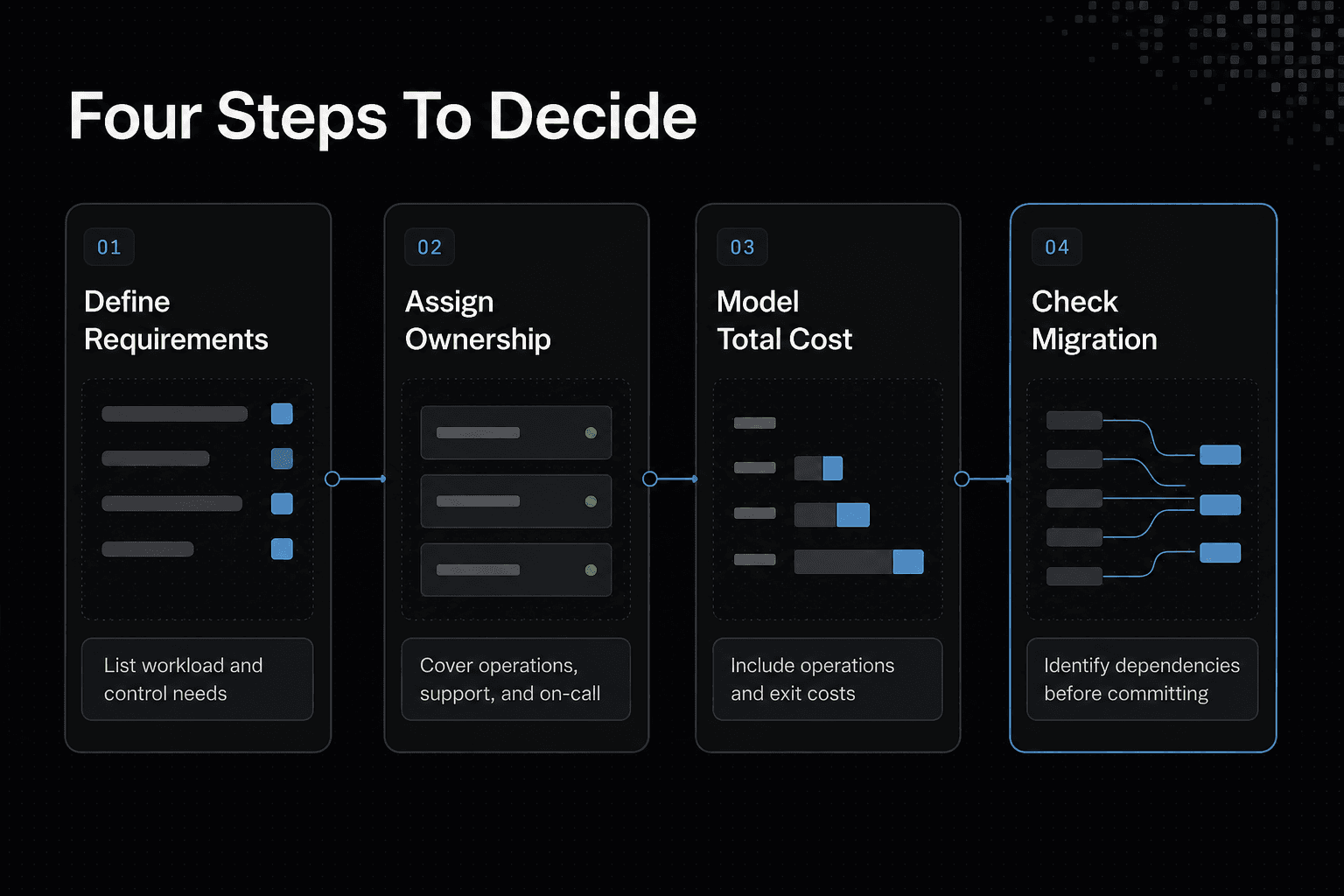
- List the workload requirements and the control your team actually needs.
- Define who owns infrastructure, upgrades, reliability, support, and on-call work under each option.
- Build a three-year TCO model that includes direct infrastructure spend, engineering time, operations, and exit costs.
- Test the result against changes in workload, staffing, and operational effort.
- Check migration readiness and identify provider-specific dependencies before committing.
- Choose self-hosting, managed service, or a hybrid approach that your team can operate.
When buying a managed service is the better choice
Buying is the better choice when operating the software would pull skilled people away from work only your team can do. It does not outsource accountability for your data, access rules, architecture, or vendor choice, but it can move routine platform work into a defined service boundary.
Speed to market and limited engineering capacity
If your product needs to ship before you can staff an on-call rotation, a managed service can be the practical answer. You start from a working service rather than building deployment pipelines, monitoring, backups, upgrade paths, and failure handling around an open-source component.
That trade is often worth it early on. Your engineers still need to set access controls, connect the service to your product, and decide what happens when it fails, but they don't also need to become full-time operators of every layer.
Don't buy blindly. Check how you export data, change plans, reach support, and move away later, because fast adoption without an exit path can leave you with a costly migration.
Maintenance, upgrades, and support coverage
Patching and upgrades sound small until they collide with a release, a dependency change, or an incident. A managed provider may take on routine infrastructure maintenance, capacity work, and parts of the support process, which can reduce the jobs your team must coordinate.
The main catch is the boundary. You still own your application code, identity setup, data retention choices, client-side retries, and the way your team responds to users during an outage.
Read support terms closely. A service commitment is not a promise that every integration fault, bad configuration, or data mistake will be fixed for you.
Elastic demand and reliability expectations
Variable demand favors a service that can add or reduce capacity without your team constantly resizing systems. This matters when traffic spikes are hard to predict, or when a slow response directly harms users and you cannot credibly staff the reliability work yourself.
It depends on how sharp the demand swings are, how much downtime costs, and what recovery time your users can accept. For a steady internal tool, managed elasticity may not justify its price. For a customer-facing system with uneven load, paying for it can cost less than holding spare capacity and building emergency coverage.
Buy the service when its operating model covers a real gap in your team, not because a provider's logo makes the workload someone else's problem.
Build a three-year TCO model before you decide
Self-hosting is worth it only when its control or lower direct spend outweighs the full cost of operating it for three years. Count infrastructure, licenses, engineering time, on-call, incidents, security, upgrades, support, and migration. A server-price comparison leaves out the work that usually changes the decision.
[!note] A three-year TCO comparison should include operational effort and exit costs as well as direct infrastructure spend. Comparing infrastructure bills alone leaves out key responsibilities.
Use fully loaded ownership costs, not server price alone
Start with costs someone must own. For self-hosting, separate direct infrastructure, software licenses, implementation, engineering time, observability, backups, security work, on-call coverage, incident response, upgrades, external support, and migration.
For a managed service, include the service bill, implementation, integration engineering, premium support, your team's operational work, and exit costs. Your provider may run the platform, but your team still owns application behavior and vendor management.
Use your loaded hourly rate, not salary alone. Replace every assumption with your quotes, staffing plan, and expected usage.
Worked example: transparent hypothetical three-year calculation
Here is a deliberately hypothetical model using a loaded engineering rate of $100 per hour. The managed option has a $24,000 annual service bill, $10,000 for implementation, $14,400 for four engineering hours each month, $9,000 for support, and $8,000 for migration: $113,400 over three years.
The self-hosted option has $36,000 for infrastructure, $18,000 for licenses, $20,000 for implementation, and $43,200 for 12 engineering hours each month. Add $15,000 for observability and backups, $18,000 for security work, $14,400 for on-call, $12,000 for incidents, $9,000 for upgrades, and $8,000 for migration: $193,600 over three years.
That does not prove managed is cheaper. It shows why direct hosting spend is not the full number you need to defend.
Sensitivity checks that can reverse the result
Run the model again with lower and higher engineering hours, incident time, usage growth, and managed-service pricing. Small changes can matter. A stable workload, existing platform team, and shared monitoring or on-call costs can make self-hosting look far better.
Check migration twice: once for leaving the managed provider, and once for moving off your self-hosted stack or replacing the people who run it. If either path depends on undocumented knowledge, the estimate is too low.
Compare security, reliability, and compliance responsibilities
Security and uptime don't come with a deployment method. Self-hosting gives you more direct control, but it also makes your team the operator when controls fail, data is lost, or an auditor asks for proof.
A managed service can reduce the work your team performs. It doesn't remove your accountability for how your application uses the service, who can access it, or whether its terms meet your obligations.
Security is an operating capability, not a hosting model
With self-hosting, you own identity setup, least-privilege access, patching, secrets rotation, network controls, vulnerability response, and access reviews. You also need someone who knows when a control has drifted, not just someone who installed it once.
The main catch is staffing. A secure design on paper won't handle an expired certificate, an exposed backup, or a missed critical patch without a named owner and a response process.
For a managed service, map the shared-responsibility boundary before you buy. Check what the provider secures in its platform, then list what remains yours: tenant access, application permissions, data classification, integrations, and configuration choices.
Reliability requires measurable ownership
Self-hosting means you define service targets, monitoring, alert routing, backup schedules, recovery steps, and incident roles. Backups alone aren't enough. You need restore tests that show you can recover the service and its data within a time your business can accept.
Keep incident ownership clear. If an alert fires at night, someone must know who investigates, who communicates impact, and who decides when to roll back or restore.
A managed provider may offer service commitments and support terms, but read the limits. Check maintenance windows, exclusions, support response scope, and what happens when a dependency outside the provider's service fails.
Compliance and data residency: validate the actual boundary
It depends on your rules, contracts, data types, and jurisdictions. Self-hosting may let you choose where data runs and how it is segmented, but you must produce audit evidence for those controls.
Ask a managed provider where data is stored, processed, backed up, and accessed for support. Check retention, deletion, encryption, subprocessors, export options, and audit materials before you put regulated or customer-sensitive data into the service.
Plan for vendor lock-in, migration, and hybrid deployment
You can't eliminate lock-in. Even a self-hosted stack can tie you to a cloud, a database format, an identity system, or the people who know how it works.
The useful question is whether you can leave on terms your team can afford. Plan that exit before your data model, integrations, and operating habits make it expensive.
What lock-in actually looks like in production
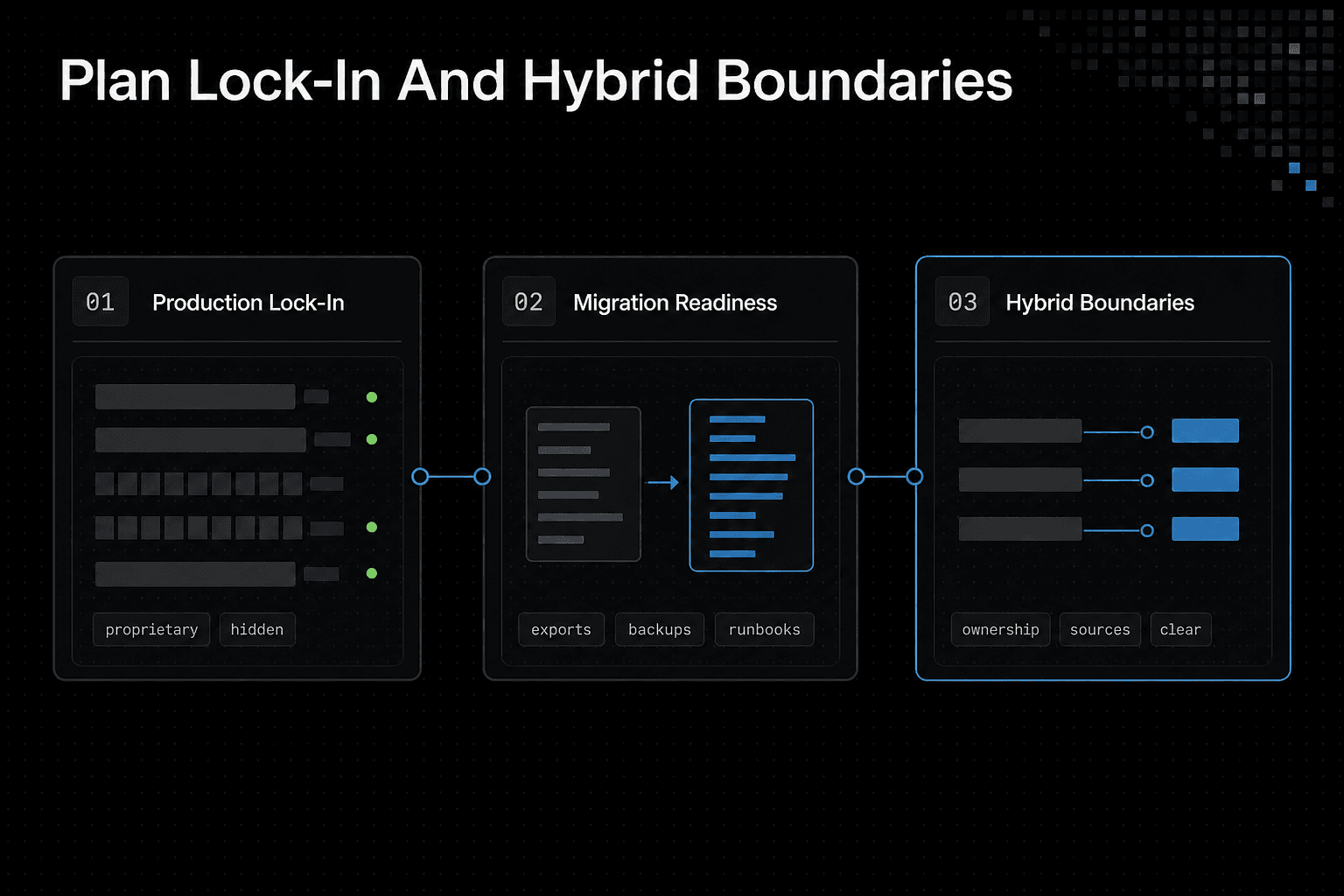
Lock-in is rarely one contract clause. It shows up when your application relies on proprietary APIs, provider-specific configuration, managed identity roles, undocumented support procedures, or data you can't export in a usable form.
Some lock-in is worth it. A managed feature may save more operating work than its future migration costs, especially when it isn't central to how your product competes.
The main catch is hidden dependencies. If backups restore only into the same service, or your runbook assumes provider support, you don't have a complete exit path.
Migration-readiness checklist
Keep a practical record of what moving would require:
- Export your production data in a documented, usable format.
- List every API, webhook, SDK, and provider-specific feature your application uses.
- Store infrastructure and application configuration in version control where you can.
- Map identity dependencies, including service accounts, roles, and single sign-on.
- Keep independent backups, then test that you can restore them.
- Write runbooks for cutover, rollback, validation, and customer communication.
- Read contract terms for export help, deletion, support limits, notice periods, and fees.
- Run a small migration test before an urgent exit forces one.
A checklist isn't proof. Schedule a test that moves representative data and checks that the replacement system still meets your security, performance, and recovery needs.
When hybrid is the rational middle ground
Hybrid works when you need control over one layer but don't gain much from operating every layer. You might self-host the data store or application that holds sensitive logic while buying managed monitoring, email delivery, backups, or a commodity database service.
It depends on where control creates real value and where operating work is just overhead. Don't split the stack merely to avoid a vendor name, because each boundary adds integration, access, monitoring, and incident work.
Choose hybrid only when ownership stays clear. Your team still needs to know which system is the source of truth, who responds when the connection fails, and how you would move the managed piece later.
Self-hosting AI, agent memory, and RAG infrastructure
Self-hosting AI doesn't mean running a model once on your own server. It means your team owns some or all of the model gateway, document pipeline, embeddings, vector store, retrieval rules, access controls, and the work needed to keep them working.
That control can matter when sensitive data, custom retrieval behavior, or strict integration boundaries are central to your product. It won't remove the need to design permissions, measure answer quality, or handle failures. Those jobs exist whichever hosting model you choose.
What self-hosting AI infrastructure actually adds to the ops backlog
A full stack has many moving parts: model serving or provider access, embedding generation, document ingestion, chunking rules, vector retrieval, metadata filters, logs, evaluations, backups, and index updates. A changed document can need reprocessing, and a changed embedding model can require rebuilding the index.
The main catch is that each layer creates an ownership question. Who can read source documents, who can change retrieval settings, what happens when ingestion fails, and how will you spot answers based on stale or wrongly permitted data?
Self-host only where control earns its cost. Buying model access or a managed vector service can be the sensible choice when your team needs to ship an AI feature without becoming the on-call team for every part of the retrieval path.
Agent memory and project knowledge across sessions
Agent memory is not magic persistence. If an agent needs to remember a project across sessions, tools, and users, you need to decide what data is stored, how long it remains, which agent can retrieve it, and who may edit or delete it.
Keep short-lived task context separate from durable project knowledge. A chat transcript, a customer record, and an approved internal document have different retention, permission, and audit needs.
GigaRAG is a shared memory platform for AI agents that keeps project knowledge available across sessions and tools. Its access controls can manage what each agent can use, but hosting choice still does not replace an explicit data model and access design.
RAG and MCP integration criteria
RAG, retrieval-augmented generation, gives a model relevant source material at request time. MCP, Model Context Protocol, connects an agent to tools and data sources. Neither is worth adding just because an agent can use them.
Start with the task. Use RAG when answers must draw on changing, searchable source material. Use MCP or direct APIs when the agent must take an action or fetch live system data, then set narrow tool permissions and log each call.
Don't operate a full RAG stack for a small, stable set of documents that your application can pass directly as context. You need the extra machinery only when scale, freshness, permissions, or retrieval quality make direct context impractical.
Which model fits your startup, SaaS, enterprise, or AI team?
Your company type doesn't decide this for you. Your workload, risk, and ability to run the service do. Before self-hosting, name the person or team accountable for incidents, patching, backups, access reviews, upgrades, and capacity planning. If nobody can own those jobs, buy the managed layer or use a hybrid design.
[!tip] For an AI-agent or RAG workload, assign ownership for the surrounding infrastructure and services, not just the model, before comparing deployment costs.
Early startup: buy time before buying infrastructure
An early startup usually needs to learn whether the product solves a real problem, not prove it can run every dependency. Buy managed services when demand is unclear, the team is small, and shipping speed matters more than low-level control.
The main catch is that cost can rise as usage grows. Keep your exit options open: use documented APIs, retain data exports, and avoid putting business logic inside provider-specific features unless the speed gain is worth the migration work. Self-host only when the service is core to the product and someone can support it after launch.
Growing SaaS: self-host selectively when utilization and control justify it
A SaaS company may have steadier traffic, known integration needs, and enough engineering depth to own selected layers. It depends on whether utilization is predictable, customization has product value, and your three-year model still includes on-call and upgrade work.
Don't move the whole stack just to save on one large bill. Self-host a database, search service, or queue when its configuration, data boundary, or stable usage makes control valuable. Keep commodity layers managed when running them won't make your product better.
Enterprise and regulated environments: validate responsibilities, not assumptions
Enterprise requirements can make control necessary, particularly when data residency, identity rules, audit evidence, or network boundaries constrain where a service may run. But self-hosting doesn't make you compliant by itself.
The honest answer is that both models need evidence. Check who handles encryption settings, privileged access, retention, backups, incident notices, and audit logs. A managed provider may meet your needs if its contractual and technical boundaries match them. If they don't, you need the staff and processes to operate the missing controls yourself.
AI teams: separate differentiated data control from commodity operations
AI teams should own the parts that create product differentiation: permission-aware knowledge, retrieval rules, evaluation data, and agent actions tied to internal systems. You may not need to operate model serving, embeddings, and vector storage yourself.
GigaRAG connects agents to a central Hive Mind through MCP or the API. Use that connection only within the access and data boundaries your team can operate and audit.
Here's why: each self-hosted AI component adds failure modes, upgrade work, and a security boundary around sensitive source data. Use managed building blocks for commodity operations, then self-host the knowledge or retrieval layer only when control over data, behavior, or deployment boundaries clearly earns that operational burden.
Use this decision framework before signing or deploying
A scorecard won't remove judgment. It will make the trade-offs visible before a contract, migration, or production launch makes them expensive to change.
Score the decision across eight criteria
Score self-hosting from 1 to 5 for each criterion, then weight each by its importance to your business from 1 to 3. Higher totals support self-hosting. Low scores support buying. Mixed results usually point to hybrid.
Use these eight criteria: workload predictability, data and compliance constraints, customization value, internal platform maturity, time-to-market cost, support requirements, migration feasibility, and three-year TCO. Write one sentence beside every score explaining the evidence behind it.
For example, stable utilization may score high for self-hosting, while a need to launch next month scores low. Don't let a cheap server estimate outweigh the cost of on-call coverage, incident work, upgrades, and security ownership.
Stop conditions that mean buy or choose hybrid
Some conditions override the score. Do not self-host if no named owner can run incidents, upgrades, backups, restore tests, and security controls.
Stop if your team can't define an on-call path, fund the three-year operating cost, or test a migration before committing. A hybrid design is often the better choice when you need control over data or business logic but don't need to operate every commodity layer.
Document the decision and revisit triggers
Record the scores, assumptions, owner, chosen boundary, and exit plan. Keep it short.
Set revisit triggers: a large usage change, new compliance requirement, repeated incidents, a major price increase, or a product need the current model can't support. Your decision should change when its assumptions do.
Make the choice you can operate
No hosting model removes responsibility for your product. A managed provider won't make poor access control, weak integration design, or unclear incident ownership disappear, and self-hosting won't create a capable operations team just because you deployed the software. If nobody can own the work, don't choose it.
The honest answer is to choose the boundary your team can fund, staff, and exit. Self-host when control over data, customization, or stable utilization has clear value and you can support the full operating load. Buy when speed, elastic capacity, and provider-run maintenance matter more than owning the underlying layer.
Hybrid is not a compromise failure. Keep the data, policy, or business logic that needs your control, then buy commodity operations where running them adds little value.
Frequently Asked Questions
When is self-hosting cheaper than buying a managed service?
It may be cheaper when the full three-year cost of infrastructure and operating the deployment is lower than the managed-service alternative. Include engineering time, on-call work, upgrades, and exit costs rather than comparing infrastructure spend alone.
What costs should be included in a three-year self-hosting TCO?
Include direct infrastructure spend, engineering and operational effort, on-call ownership, upgrades, and the cost of leaving or replacing the deployment. Label assumptions and test how workload or staffing changes affect the result.
Is self-hosting more secure than using a managed service?
The choice alone does not establish which option is more secure. Compare the control you require with the security responsibilities your team would own and those the managed provider would retain.
When should a startup avoid self-hosting?
Avoid it when the startup cannot justify or staff operational ownership, including upgrades and on-call work, or when the full three-year TCO does not support the choice. Compare a managed or hybrid option before committing.
How can a team reduce vendor lock-in when buying a managed service?
Assess provider-specific dependencies and migration effort before committing. Include exit costs in the three-year TCO, retain usable exports, and plan how the workload could be moved or replaced.
When does a hybrid self-hosted and managed architecture make sense?
Consider hybrid deployment when you need self-hosted control for part of a workload but prefer managed operations for another part. Assign ownership for each part and compare the combined costs and migration paths.
What does self-hosting AI infrastructure require beyond running a model?
It requires ownership of the surrounding infrastructure and operational work, including document ingestion, embeddings, retrieval, permissions, upgrades, reliability, support, and on-call coverage.
How do I decide whether to self-host an agent memory or RAG stack?
Compare the control you need with your team's ability to operate the stack. Model three-year costs, including engineering, on-call work, upgrades, and exit costs, then compare self-hosted, managed, and hybrid options.
About GigaRAG
GigaRAG is a shared memory platform for AI agents that helps developers and teams keep project knowledge available across sessions and tools. It connects agents to a central Hive Mind through MCP or the API.
GigaRAG includes access controls to manage what each agent can use. That makes it relevant when your team needs to set clear knowledge boundaries across agents and tools.


